

 Dispatch
 Cloud
CloudUsing the Console (recommended)
Using the Console (recommended)
Open the Upsun Cloud management Console to create your project.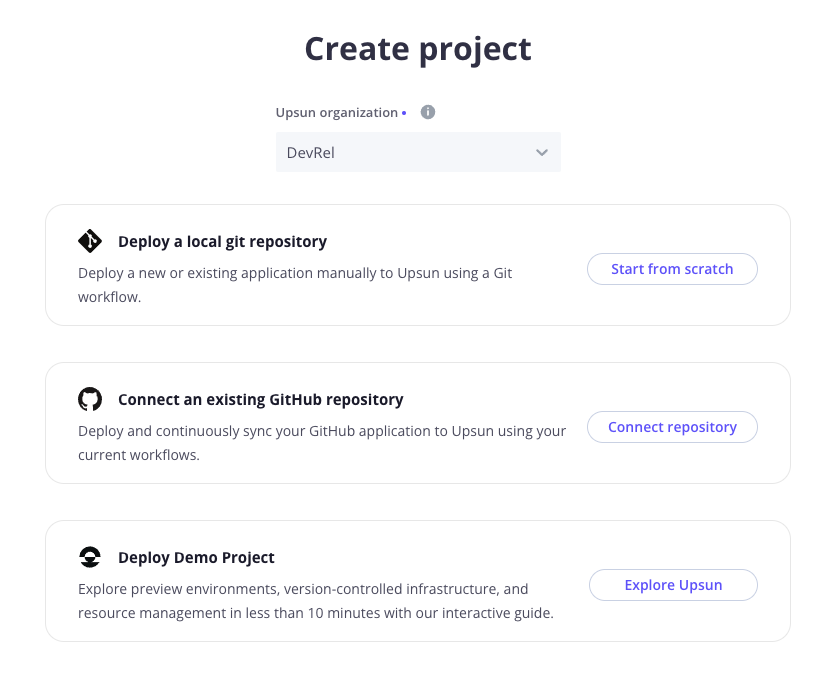
If you haven’t done so already, you are prompted to create your first organization where your project will reside.
Git integrations
This guide does not specifically address integrating an Upsun Cloud project with a third party repository such as one on GitHub, even though the Connect repository option is available at this stage.For now, continue to work locally. Third party integrations will be addressed at the end of this guide.- The name of your project.
- The default branch of your local repository.
- Select the region where you want your project to be hosted.
.upsun/local/project.yaml file. This file contains the corresponding <projectId> and sets a Git remote to upsun.Using the CLI
Using the CLI
To create a new project with the Upsun Cloud CLI, use the following command and follow the prompts:Then, you are asked if you want to set the local remote to your new project. Enter Yes (y).Your local source code is automatically linked to your newly created Upsun Cloud project through the creation of a So long as you chose
Terminal
Default branches
When creating a new project using the Upsun Cloud CLI commandproject:create, the default production branch is set to main. Change it if your default branch is different (e.g.: master)..upsun/local/project.yaml file. This file contains the corresponding <projectId> and sets a Git remote to upsun.In this guide, you will push your local repository to Upsun Cloud.
That is, the only copy of your codebase you’d like to deploy is on your local computer.Git integrations
This guide does not specifically address integrating an Upsun Cloud project with a third party repository such as one on GitHub, even though you will notice the Connect repository option available at this stage.For now, continue to work locally. Third party integrations will be addressed at the end of this guide.y (yes) to the question Set the new project <projectName> as the remote for this repository? during the project:create command, your local project is already integrated to the Upsun Cloud project.