

 Dispatch
 Cloud
CloudAI on Upsun
Let Upsun Dispatch™ plan, code, and review your software with governed AI-agent workflows. Use Upsun Cloud to deploy AI agents, MCP servers, RAG applications, and chatbots. Integrate with Claude, GPT, Gemini, and any LLM API.
Upsun Dispatch
Governed AI-agent workflows that plan, code, review, and optimize your software. Connect a repository, leave a comment, and Upsun Dispatch takes it from there.
Turn issues into pull requests
Comment @upsun-dispatch implement on a GitHub, Jira, or Linear issue and Upsun Dispatch opens or updates a pull or merge request
Automated code review
Upsun Dispatch reviews GitHub pull requests and GitLab merge requests, publishing checks, comments, and summaries
Full visibility into every run
Monitor run status, logs, timelines, and usage from the Upsun Dispatch console
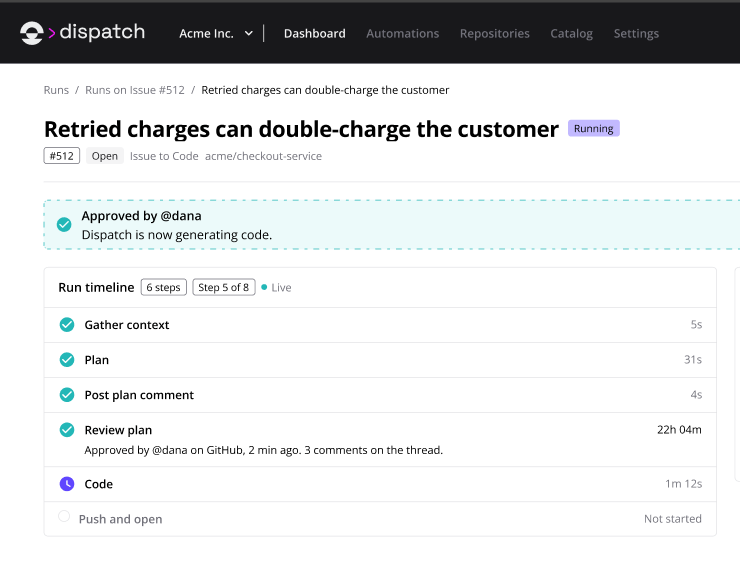
Everyone works from the same run
Captured as it happens. Visible to the whole team, not just whoever kicked it off.
Findings are prioritized and actionable
A summary and recommendation, then findings ranked by impact.
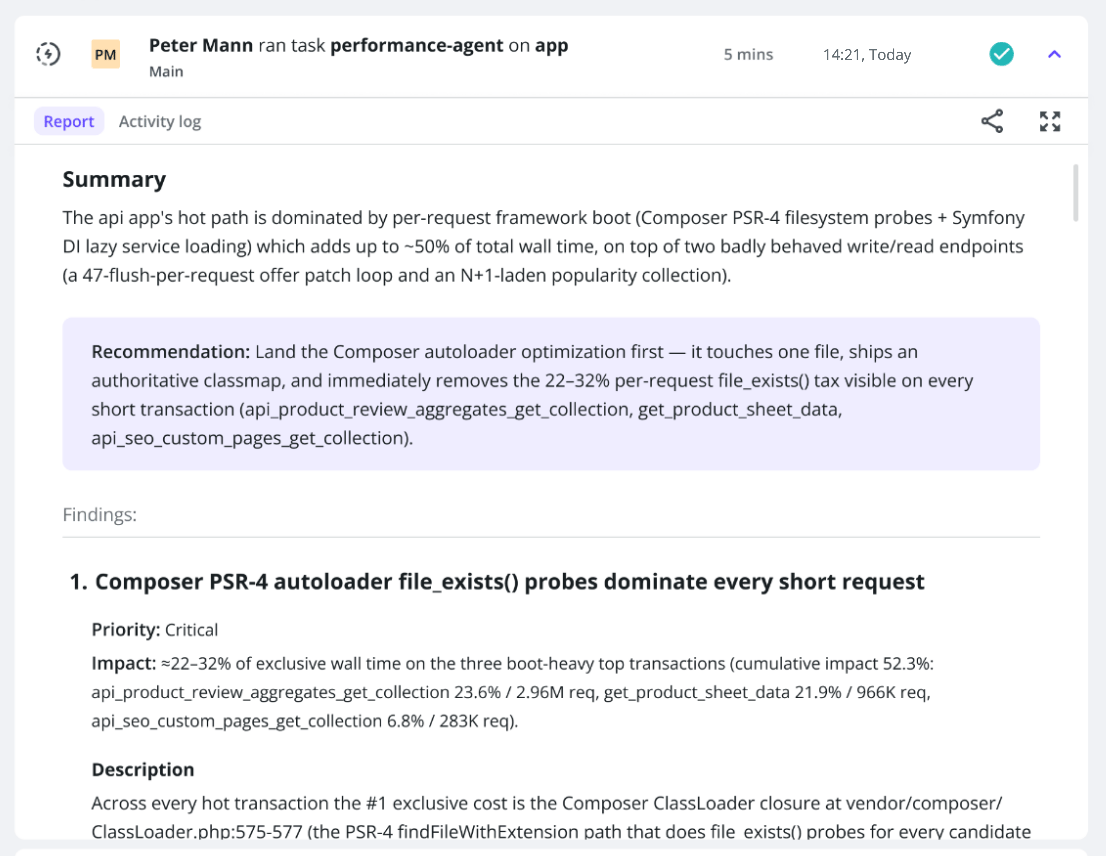
Upsun Cloud Performance Agent
Find performance bottlenecks without writing a profiling script or reading through hours of trace data. Get a report with actionable fixes.
Correlates every signal you have
Profiling data, live traffic, and your source code, all analyzed in one pass
Nothing to install
Bring your own LLM API key and get a report in minutes
Findings with suggested diffs
Each report ranks bottlenecks and proposes a code fix, not just a graph
Upsun Cloud Log-Analyzer Agent
Analyze and diagnose errors and anomalies in your logs without scanning raw output by hand. Get a prioritized report in minutes.
Widens the analysis when needed
Analyzes beyond your time window and filters, pulling in data like deployments, traffic, and metrics when a finding needs more context
Nothing to install
Bring your own LLM API key and get a report in minutes
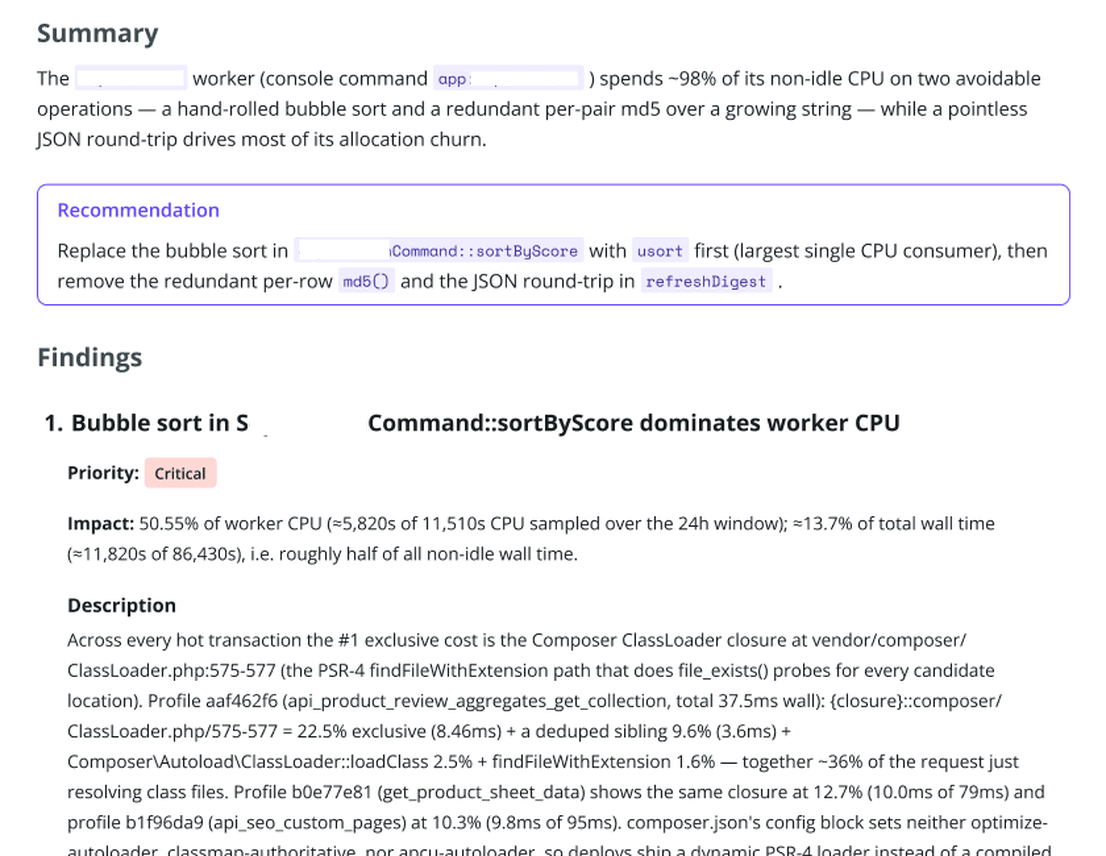
Findings ranked by priority
A summary, a top recommendation, and findings ordered by urgency, not raw log severity
Errors surfaced, not buried in noise
A one-sentence summary, a top recommendation, and findings ranked by urgency.
Upsun MCP Server
Give Claude direct access to your Upsun infrastructure. Manage projects, environments, and deployments through natural language conversations.
Deploy with natural language
Ask Claude to deploy your app, create environments, or scale resources
Manage infrastructure
Query logs, check metrics, and troubleshoot issues conversationally
Works with Claude Desktop
Seamless integration with your existing AI assistant workflow
✓ Found project: my-nextjs-app
✓ Creating environment: main
✓ Deploying application…
✓ Deployment complete!
Provisioning services…
✓ Deployed to main
Upsun Skill for Claude Code
Deploy directly from your terminal with Claude Code CLI. Manage your entire Upsun infrastructure without leaving your development environment.
Slash command interface
Simple commands like /upsun deploy for instant deployment
Integrated workflow
Code, test, and deploy without context switching
Full environment control
Create, merge, and manage environments from the command line
Quick Start: Deploy an AI Agent
Get started with a simple Python AI agent that integrates with the Anthropic API.
What You Can Build
Deploy any AI application that integrates with LLM APIs. Upsun provides the infrastructure, databases, and networking you need.
AI Agents & Chatbots
MCP Servers
RAG Applications
Supported Technologies
Build with your preferred stack. Any language, any LLM, any database.
Runtimes
LLM Providers
AI Frameworks
Vector Databases
CPU-optimized for AI orchestration. Call external LLM APIs for GPU-intensive inference. Your app handles business logic, data processing, and UX — cost-effective and easy to scale.
Resources & Tutorials
AI Agent Guide
Deploy MCP Servers
Building AI Agents Tutorial
Vector Databases
AI Blog Posts
Community Forum
Ready to Deploy Your AI Application?
Start building AI agents, MCP servers, and intelligent applications on Upsun today.