Upsun Dispatch workflows that use an AI model require a model key for your organization. Model keys belong to the organization, not to an individual repository, GitHub installation, or GitLab project. An organization can store model keys for Anthropic and OpenAI. If you store more than one key, choose the default model integration Upsun Dispatch should use for workflows unless a workflow setting or repository override selects a different model integration.
Store at least one model key before running workflows such as Code review. To configure workflow-level model selection or repository overrides, see Workflows in Upsun Dispatch.

Supported model integrations

Store your Anthropic key

Add, replace, or remove the Anthropic key for your organization.

Store your OpenAI key

Add, replace, or remove the OpenAI key for your organization.

Manage organization model keys

In your organization’s AI keys settings, use model key management to: AI model keys settings showing Anthropic as the default integration and the OpenAI key form. The Models settings screen shows stored keys and the default model integration.
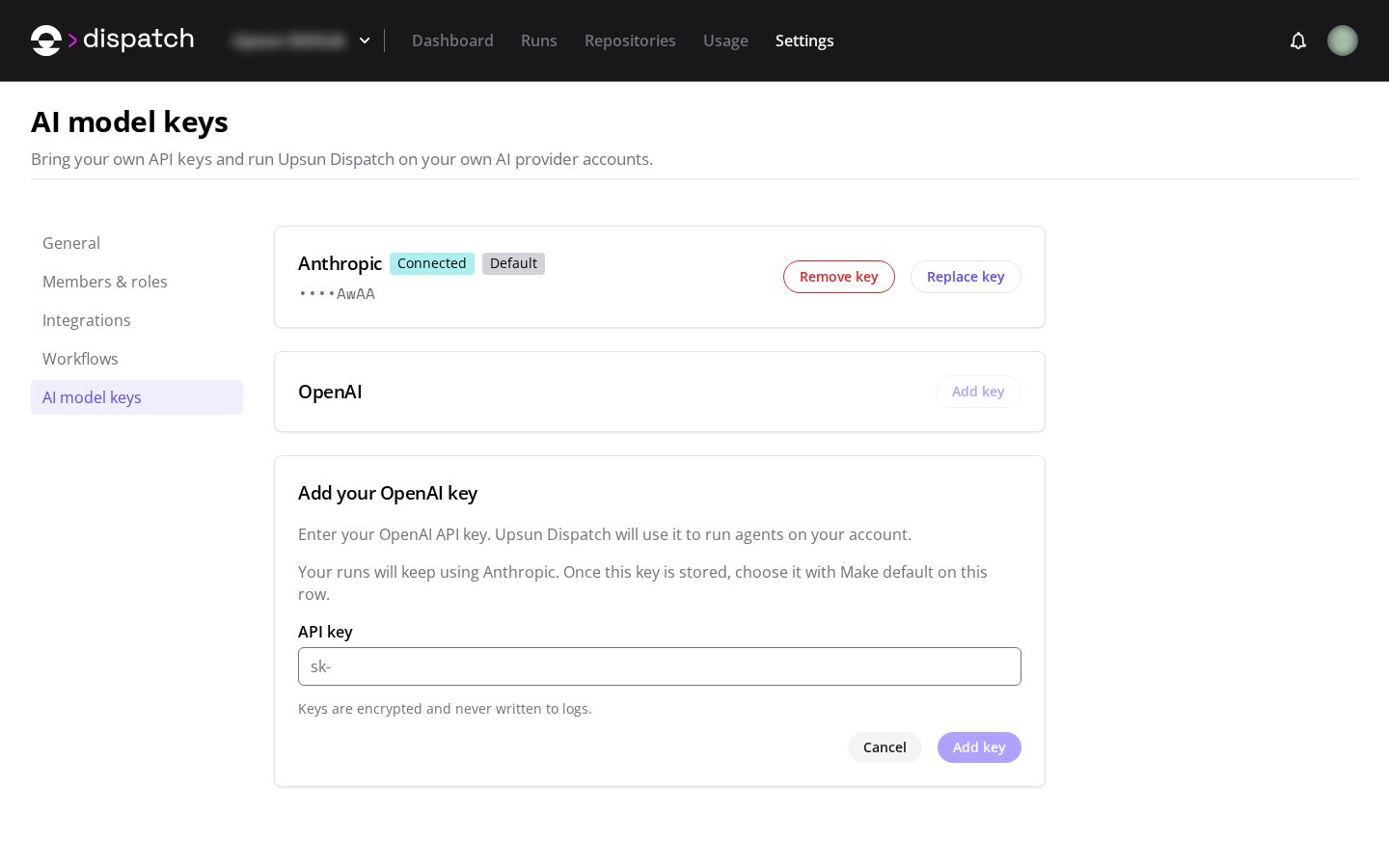
  • add a model key for Anthropic or OpenAI,
  • replace an existing key when you rotate it,
  • remove a key your organization should no longer use,
  • choose the default model integration for workflows, and
  • manage an optional API base URL for model integration settings.
After a key is stored, Upsun Dispatch keeps it at the organization level and does not tie it to one connected source integration. Workflow runs that require a model key need an available key for the selected model integration.
Last modified on September 16, 2026