Discover the new global settings page in the Console. Easily configure project and environment settings in one location for a smoother experience.
This post was originally published on the Platform.sh blog and reflects information from the time of publication.
At Platform.sh, we are committed to making your development and deployment experience as smooth and seamless as possible.As part of this effort, we regularly listen to your feedback to see how we can improve things.One of those things: is how complex it can be to configure environment or project settings from the Console.That is why we decided to regroup all settings pages together so that they’re easily accessible from a single location. This new Global Settings page in the Console helps users by removing any confusion about where to go, and makes the managing and editing of project and environment settings much faster overall, without moving back and forth between multiple pages.
Hey, cool! So, how did the Global Settings page come about?
We’ve heard consistent feedback over time, from both users and our own internal staff, that the Settings user experience in the Console can be a bit difficult. Knowing where to go to access the right settings, and then switching between multiple settings pages has definitely been more difficult than it needed to be.With that in mind, we tested and refined a simpler, more discoverable solution that unites all Project and Environment level settings into the one area.This new location has the ability to view the wide range of settings we provide for each level in a new left-side tab bar. We’ve also brought more Project settings into the fold, including our Integrations and the new Environment Type settings.The really interesting thing we found was that 100% of users we tested were able to find the new Global Settings page without being told where to go to find it. Of those tested, 80% found it immediately, while the remaining 20% looked for a little bit first to discover it (but still took them less than 60 seconds). And overall, everyone we tested with had a positive reaction to the new combined settings page.Additionally, thanks to dynamic backlinks like we have in our Billing and Plan settings pages, users can easily get back to where they were previously.
Sounds great! How do I use this excellent new feature?
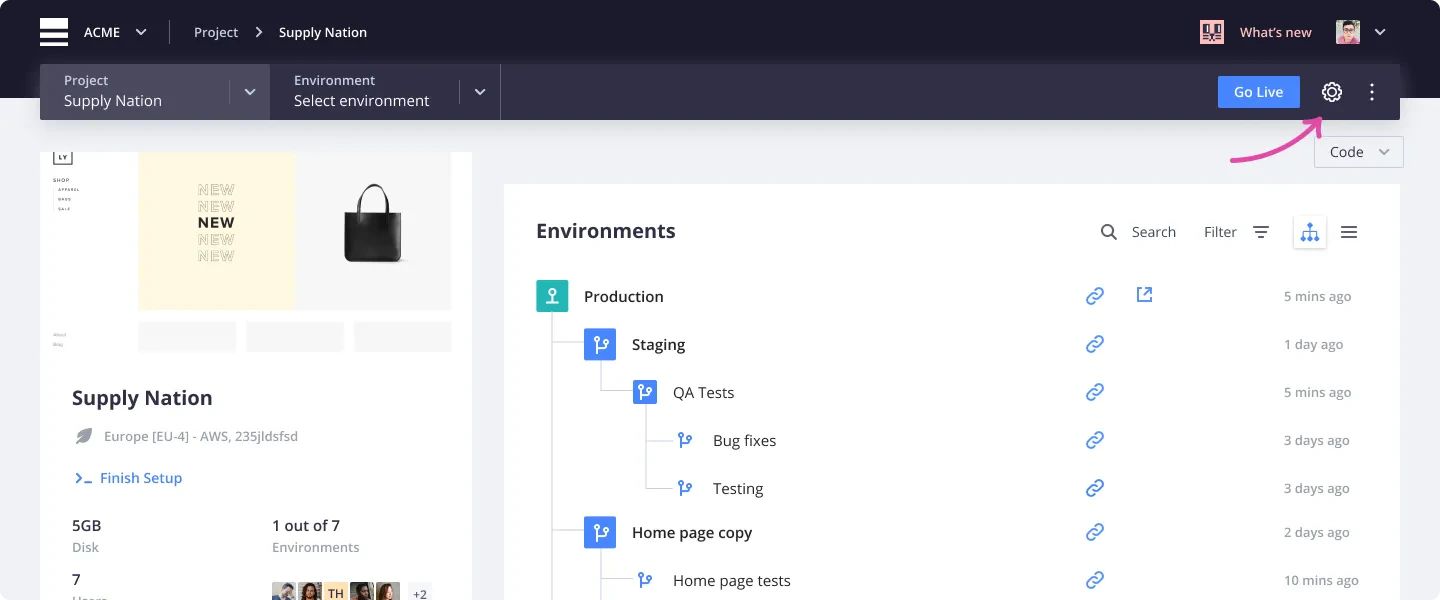
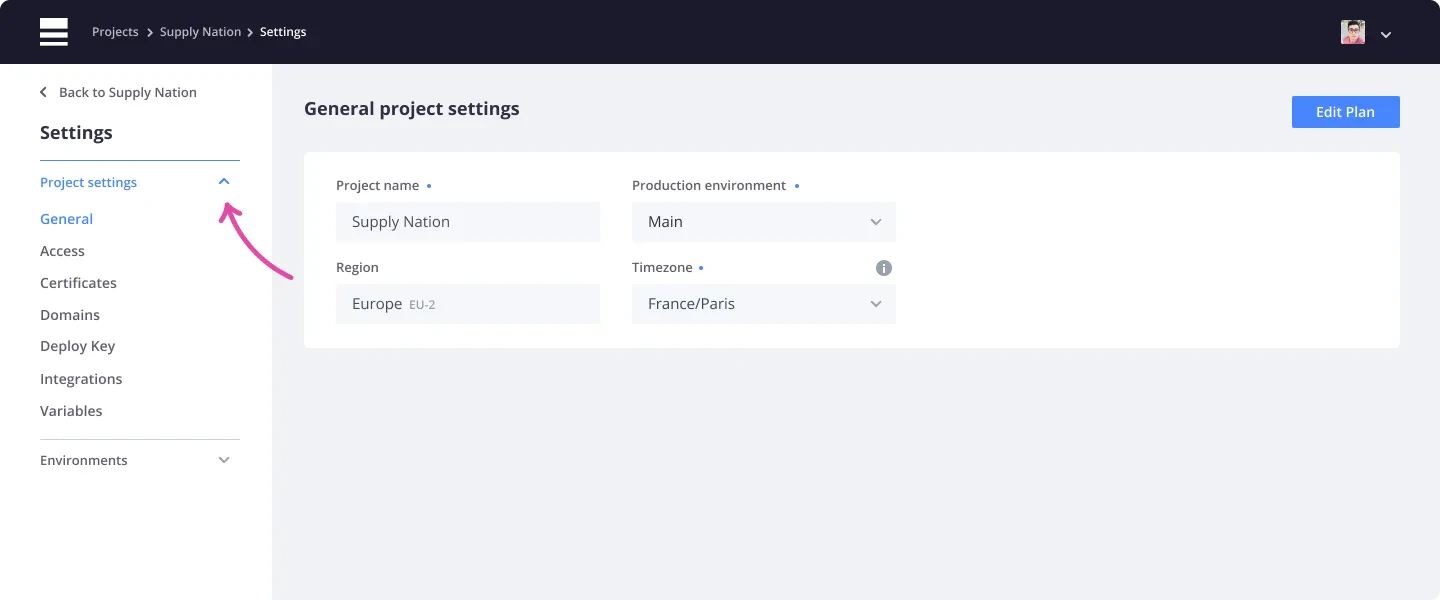
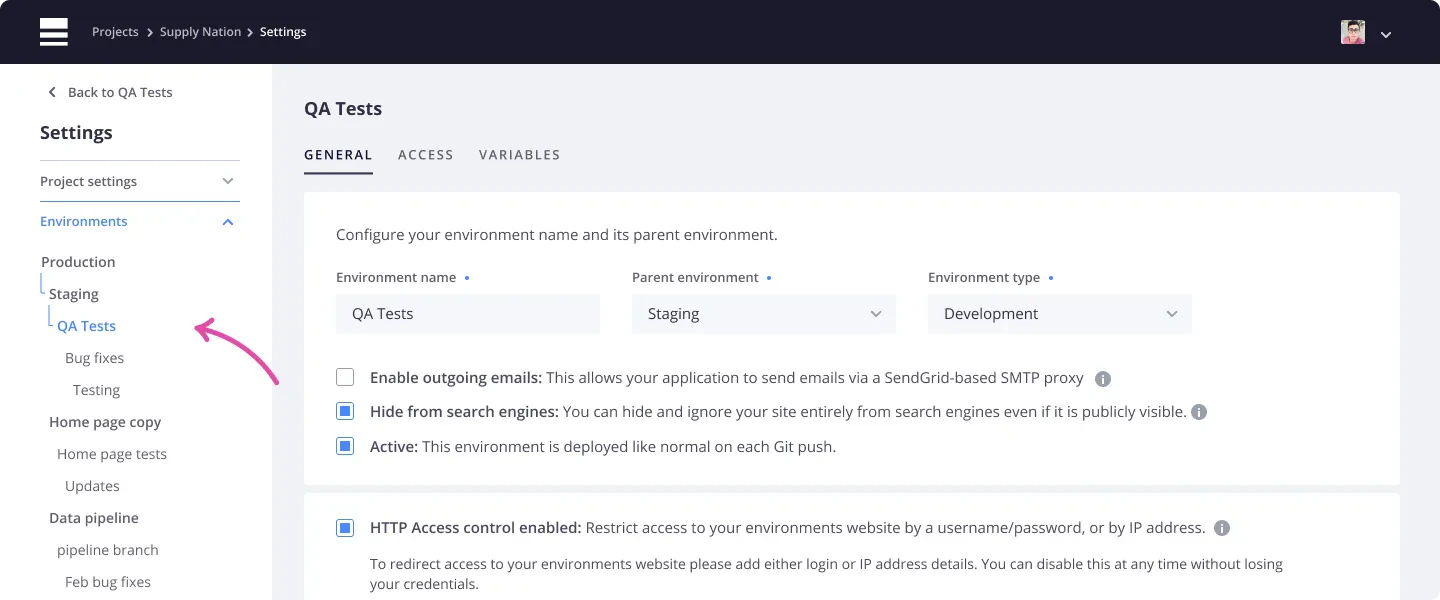
The new Global Settings page can be accessed from a single cog icon that lives in the top-right corner of your Project and Environment navigation bars. Simply clickthe cog icon and you’ll be whisked away to the new, unified settings page.Please refer to the screenshots for a clear idea of where to look!From there, you can now access all of your general Project settings in one spot.You can add and manage your team’s user permissions, certificates, domains, and deploy key and variables. And you can now find your integrations under the new Project Settings level to more easily and quickly manage (you guessed it) your integrations.Once in your new Settings page, you can now more quickly access the general, variables and access settings for any environment by expanding the Environments dropdown.We want to extend a huge thank you to all of the users that participated in our usability testing sessions led by the product design team here at Platform.sh. You have all contributed to a huge improvement in the overall user experience of our Console.We are constantly seeking new ways to improve the holistic user experience of our product, and will continue to engage our users directly for feedback and for the testing of new upcoming features.And if you have any questions or need more information, please contact our support team and they’ll be happy to help.As usual, stay tuned for more exciting updates in the future!Happy deploying!
Last modified on June 5, 2026
Was this page helpful?
Assistant
Responses are generated using AI and may contain mistakes.


 Dispatch
 Cloud
Cloud