Introducing a more complete logs forwarding experience
Streamline monitoring with centralized log forwarding. Platform.sh now supports log forwarding to Sumologic, New Relic Logs, Splunk, and more. Discover how!
One of the key attributes of DevOps and SRE engineers is their ability to meticulously
observe and monitor all of their applications. A task which can be achieved more efficiently by centralizing all
generated logs to a central endpoint.By centralizing logging, engineers can, at any time, have an accurate overview of all events which take place across
their applications, from just one place. Storing logs in an external system also allows companies to ensure compliance
with many certifications. Not to mention, centralizing can ensure logs are retained and cannot be altered by a third
party.
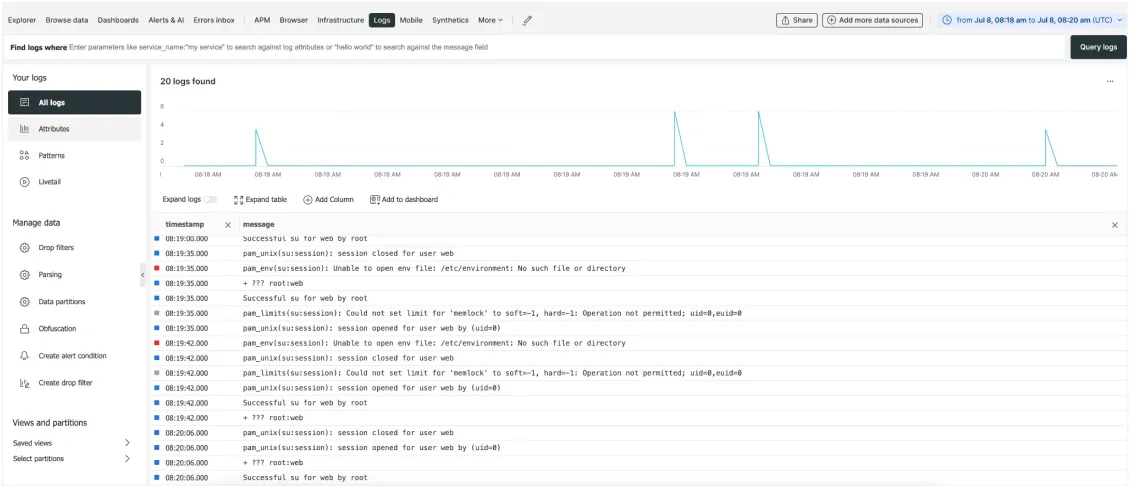
While we have been streaming logs on Enterprise Dedicated Generation 2 clusters for years to rsyslog endpoints, we are now rolling out a more complete logs forwarding experience for all customers on Grid and Dedicated Generation 3 architectures.Every Enterprise and Elite plan with the Observability Suite will now be able to forward Platform.sh logs to 3rd party endpoints such as:
Regardless of the infrastructure, we rely on the journald component of systemd to collect logs from applications and services. Custom application logs can be streamed to the integration by either writing them to the stdout of an application or service managed by systemd. Or by writing them to /dev/log over the syslog protocol.The following services will also include their logs in the integration:
MariaDB general log + slow query log
Elasticsearch
Redis
RabbitMQ
While these application containers will send their own internal logs:
Great, can’t wait to forward all the logs! How do I enable it?
There are just a few steps you need to take to set up your log forwarding.Step 1: Please reach out to our support team to enable the logs forwarding feature on your project.Step 2: Once enabled, the integration can be configured via the CLI. We are working on making it available via the console as well in the near future.Step 3: Please refer to this documentation for more information on how to set up the integration.Then that’s your setup complete and ready to start centralizing your logs!We want to hear from you so please keep on sharing your feedback with us so we can improve our user experience — reach out to us on the Upsun Community Forum. Stay tuned for more exciting updates in the future!
Last modified on June 5, 2026
Was this page helpful?
Assistant
Responses are generated using AI and may contain mistakes.


 Dispatch
 Cloud
Cloud