

 Dispatch
 Cloud
CloudNote:If you want to learn more about what and why it is important to load test your application, please see this blog post from Peter Dukta (Gatling), you will find everything you want.
Gatling and load tests
Assumptions:
- You already have a project hosted on Upsun.
- You have the Upsun CLI installed.
Install the Javascript SDK
First step is to install the Javascript SDK from Gatling documentation. To install it locally, run the following commands:Install dependencies
To install Gatling libraries during the build hook, add the following in your.upsun/config.yaml file:
Define a simulation
Create a newgatling/javascript/src/myfirstsimulation.gatling.js file with the following source code:
For your homepagescenario scenario to load test your dynamic preview environment url, we will inject an uri parameter (line 6) during the run command call (see next steps).
myfirstsimulation.gatling.js file to your Git history:
Get environment URI
To dynamically get the current environment URI, from thePLATFORM_ROUTES environment variable, you can use an .environment file that will dynamically build it.
Create a new .environment file, at the root of your application with the following lines:
.environment file to your Git history.
Define runtime operation
Runtime operations allow you to trigger one-off commands or scripts on your application (preview) container. We will then be able to execute it using an Activity script integration. Update your.upsun/config.yaml file with the following:
The
npx gatling run command has a uri=$URI parameter, using the previously created URI environment variable..upsun/config.yaml file to your Git history.
Create activity script
Create a new Javascript file (our Activity script file) at the root of your source code,gatling-worker.js (source here) with the following command line:
You will be able to run this runtime operation on demand from both command line (CLI) and the Console.
Add integration
Let say we would like to load tests our environment, each time we push new source code on it (corresponding event isenvironment.push).
A complete list of possible events is available as the Activity script type definition. Any of those Activity Script types can be added as an event list in the
--events event1,event2,... option.API tokens
First, get the previous integration ID using the following command:Replace
<INTEGRATION_ID>and <API_TOKEN> with the corresponding values previously createTime to test
To test it, create a new feature branch and push an update to your preview environment, you will see an activity script event that will contain logs of your load tests. When opening the log of thegatling_myfirstsimulation runtime operation, you will see the full load test report.
Online report
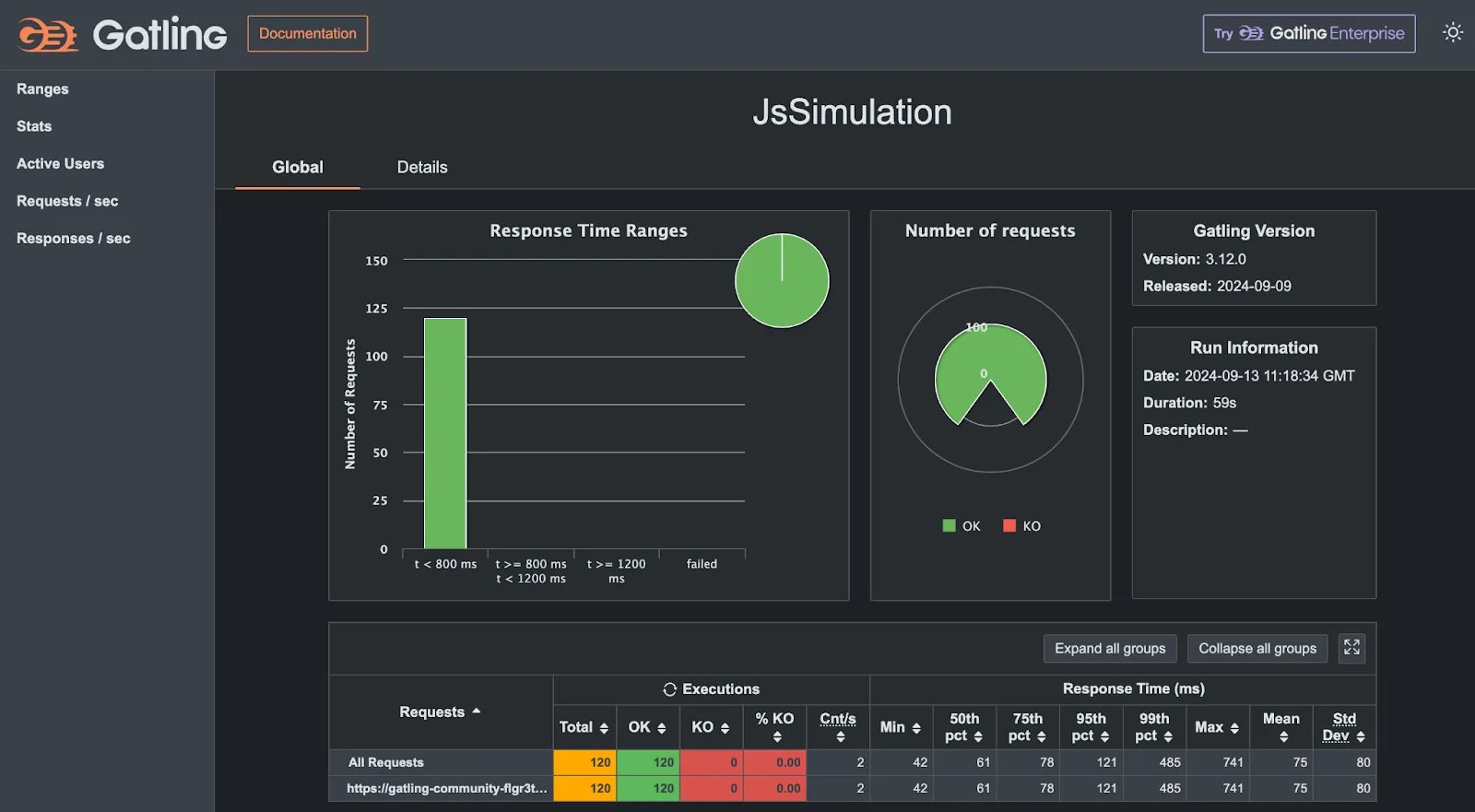
At the end of this report, you will see that Gatling simulation generates a local HTML report to get the full view of the simulation.web.locations rule to your application.
To generate in your report the corresponding report url, you will also need to change your runtime operation to display it.
In your .upsun/config.yaml file, update the following:
Troubleshooting
If during deployment, when installing Gatling, you get an error telling that the process has been killed, this means that your container is not having enough RAM.HIGH_CPU container profile, which means 0.5 CPU and 224MB of RAM.We need to increase the allocated RAM by updating the container profile of our application container to
BALANCED (0.5CPU & 1088MB RAM)