We’ve launched zero-downtime deployments in open beta. Deploy your applications without service interruption.
We’re excited to announce the open beta of zero-downtime deployments on Upsun. This feature lets you deploy your applications without interrupting your live traffic—no more maintenance pages or brief service interruptions during deployments.
This beta feature focuses on application deployments, not services. You can now deploy application code changes, updates to environment variables, and configuration changes without any downtime for your users.
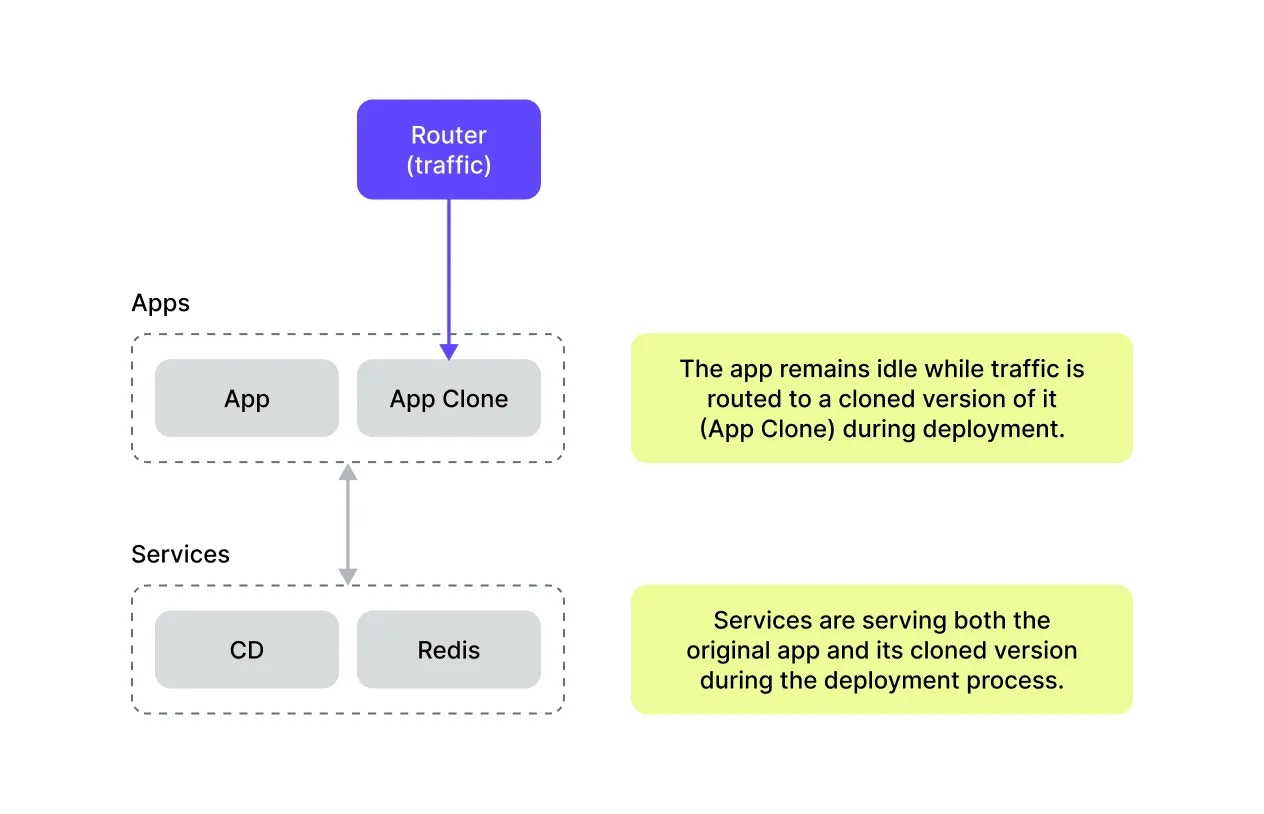
Upsun creates a temporary clone of your current application and routes all live traffic to this clone while keeping the original running in the background.Upsun starts a temporary container running a cloned version of your app. The cloned app begins handling all live traffic during this time. Your services (for example Redis) will serve the cloned app as well as the original app.
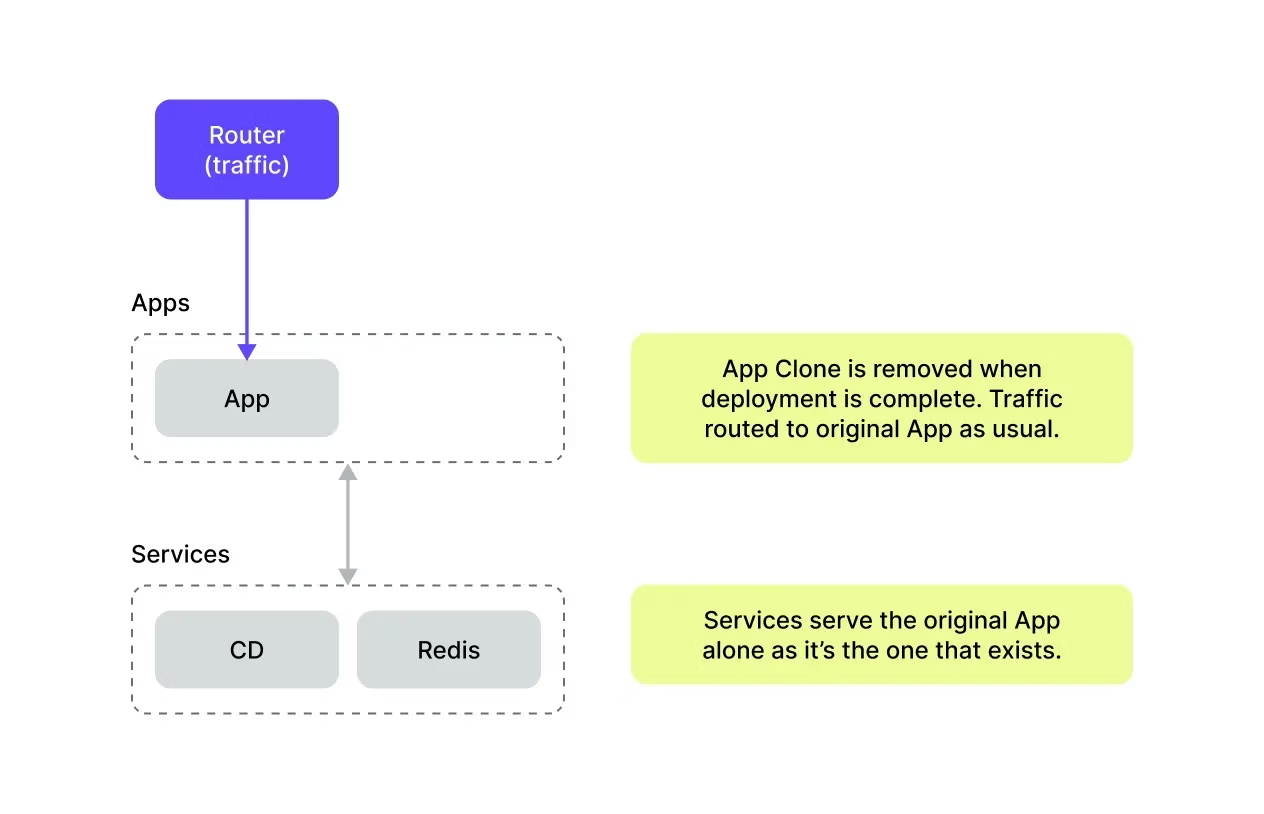
Once the original is fully upgraded and healthy, traffic switches back to the original application. The temporary clone is then removed.When deployment is complete, the clone of your app is shut down and removed. All traffic and services are now solely applied to the original app alone.This ensures that your application is available throughout the entire deployment process—users never experience downtime.
This feature applies to applications, not services. Services like databases, Redis, or other data storage systems stay intact and uninterrupted throughout the deployment. To upgrade services, you need to restart the application.
Long-lived connections like WebSockets or Server-Sent Events (SSE) are dropped during any deployment. We recommend implementing reconnection logic in your applications.To ensure your application only starts receiving traffic when it’s steady and ready, we recommend using the post_start hook. This helps prevent 502 errors that can occur if traffic is routed to your application before it’s fully initialized. For more information, see the application startup documentation.
The recommended way to use zero-downtime deployments is to enable manual deployments on your environment. This gives you full control over when and how deployments happen.Once enabled, you can trigger deployments via the CLI:
upsun environment:deploy --strategy rolling
Or via the Console: navigate to your environment settings and trigger a deployment from the deployment modal. Select Zero Downtime as your deployment strategy.


 Dispatch
 Cloud
Cloud