

 Dispatch
 Cloud
CloudHow our journey looked like: Step-by-step process
Step 1: Write a detailed prompt for AI code generation
We started in the Cursor IDE with a simple prompt for AI, asking it to act as a senior Drupal and DevOps engineer. We provided all the details that the AI assistant needed to prepare a demo environment. Below, you can see our prompt: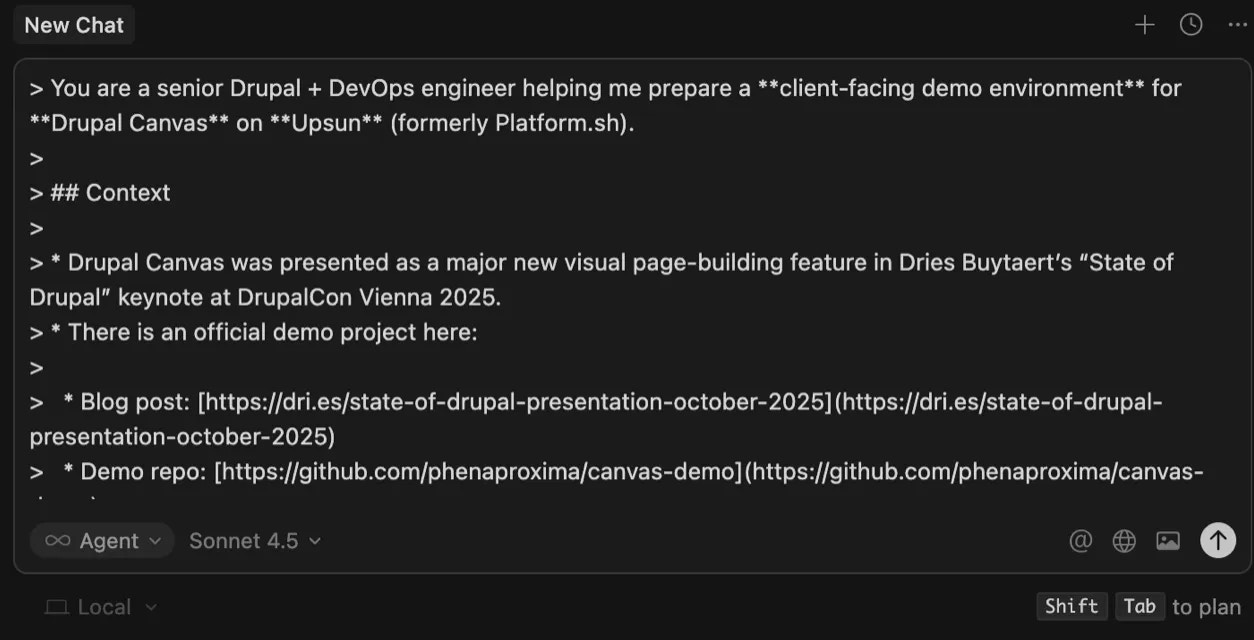
Problem #1: The wrong package
The first issue we faced is that our AI assistant picked up outdated information and used the wrong Composer package name. Specifically, it installeddrupal/experience_builder instead of drupal/canvas.
This happened because during DrupalCon, the module was still referred to as “Experience Builder” in some places, which confused the tool. Using the wrong package can lead to serious compatibility issues later.
Lesson learned: Always double-check Composer package names on drupal.org before hitting “Deploy.” AI knowledge isn’t always up to date, so it can rely on irrelevant and old data. A quick manual check can save hours of debugging.
Step 2: Check project structure
After AI created the Drupal structure, ready for Upsun deployment, we spent some time ensuring that the structure of the project had all the needed files. Our final files and folder structure looked like this: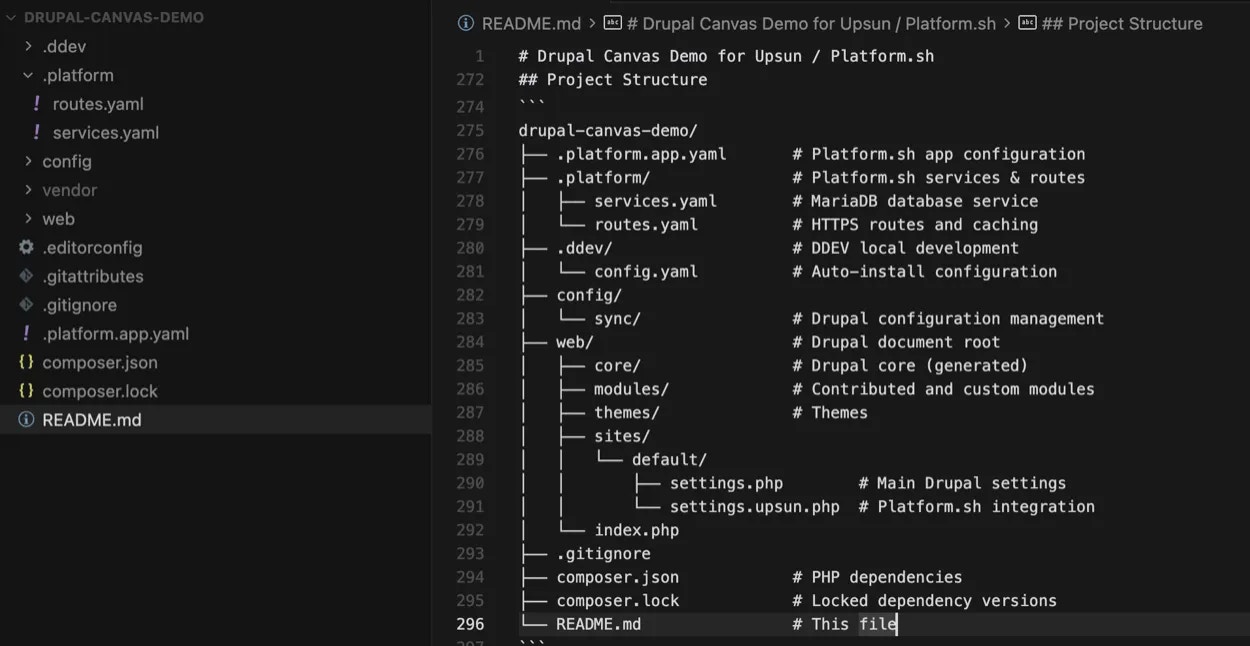
Problem #2: Excessive output from AI
Our AI assistant wanted to be helpful, but went overboard — during the process, it generated 18 extra files. For a quick demo, all we needed was a single README. But it created eight documentation files, multiple setup scripts, and even a “Quickstart Guide” for tools we never planned to use. Lesson learned: When prompting AI, be crystal clear about your intent and what the AI tool should deliver. Don’t say “set up Drupal Canvas on Upsun”, instead, say “set up Drupal Canvas on Platform.sh with DDEV, one README, minimal structure.”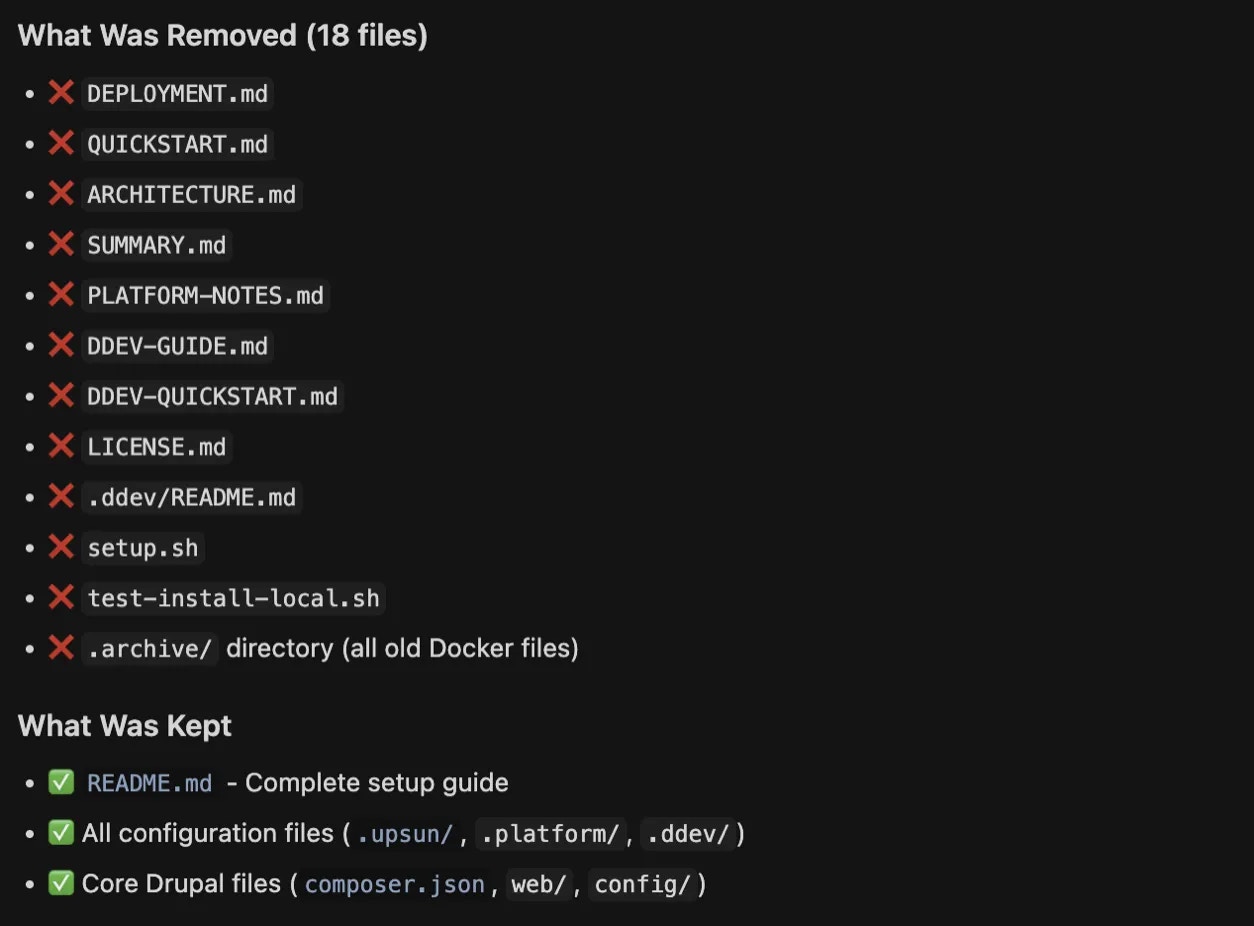
Step 3: Check platform configurations
Our project configuration originally lived in .upsun/config.yaml. It defined a single PHP application with a MariaDB service and pointed web/ as the document root. That’s where the next issue appeared.Problem #3: Platform.sh vs Upsun: name confusion
Since Platform.sh recently rebranded to Upsun, the AI tool was confused and treated them as two separate platforms. As a result, it created two setups: Upsun files in .upsun/config.yaml and Platform.sh files in .platform.app.yaml, along with the entire .platform/ directory. To avoid confusion and duplication, we manually deleted one set of files. Lesson learned: Check your git remote and ensure that your project configuration matches the platform you are actually deploying to. Rebrands might confuse AI.Step 4: Build and deploy hooks
We added simple hooks that allow the site to install itself automatically during deployment. Now, every new environment on Upsun builds a fresh Drupal Canvas instance, with no manual configuration setup required.Problem #4: Wrong Drupal profile
On the first deployment, we noticed that the AI generated the wrong installation profile name. It tried to install canvas_demo profile, which doesn’t exist. Lesson learned: After this failure, we switched the installation command to use the standard profile and then explicitly enabled the canvas module inside the deploy hook. That small fix finally made the deployment fully automated and reliable.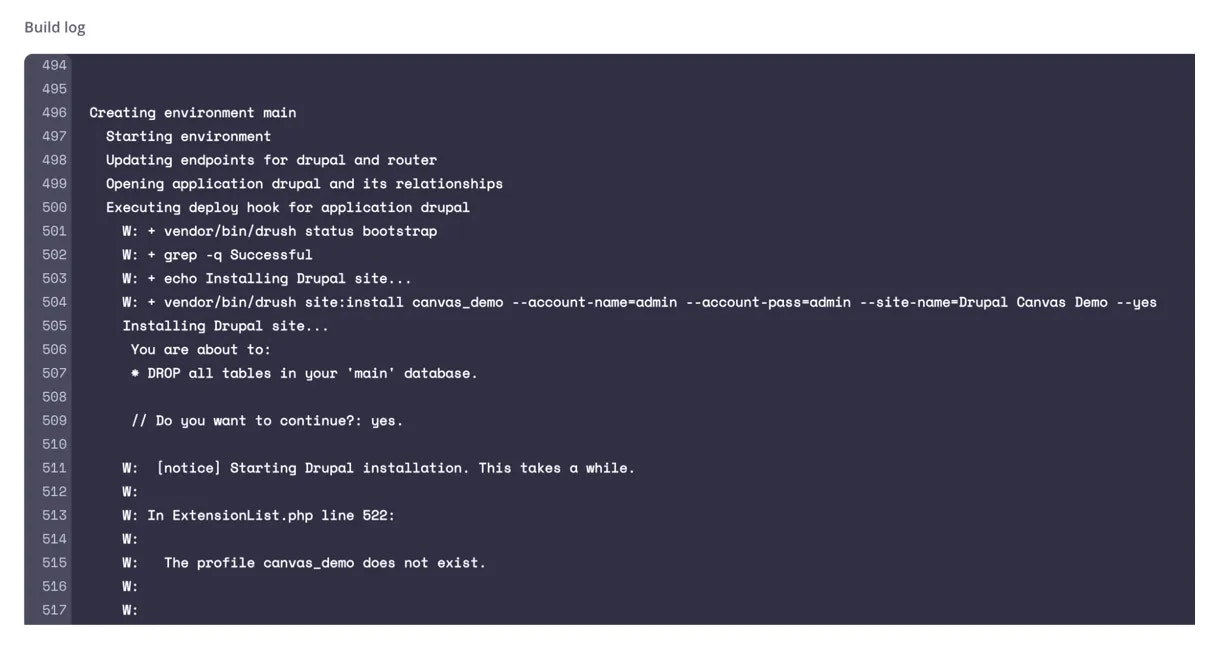
The final result
After all the iterations and fixes, we ended up with a clean, lightweight Drupal Canvas demo, deployed on Upsun and running locally with DDEV. While we didn’t get instant success, now, after several iterations, the demo finally works reliably, and it’s easy to reuse for client demos.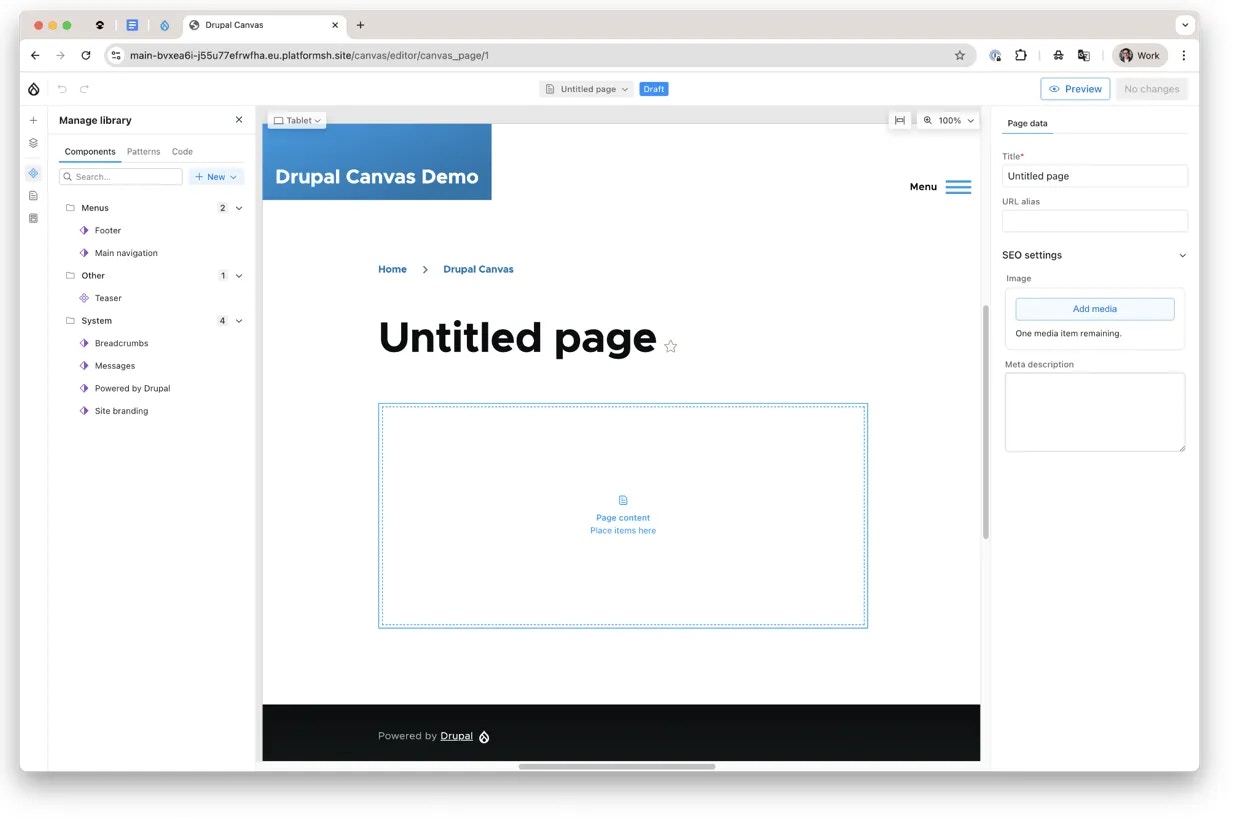
All in all, AI wrote the initial configurations in about 20 minutes. However, 70% of the work still fell on the human developers, who spent nearly an hour reviewing, fixing, and simplifying the code.