

Key features
Instant project validation and autocompletion
The extension automatically recognizes your.upsun/config.yaml files and integrates the latest schema from SchemaStore, providing:
- Real-time error highlighting for deprecated or invalid settings
- Autocomplete suggestions for all valid fields
- Hints and documentation on hover
Integrated project management
The real magic of the Upsun extension comes from its ability to interact with your project:- Install Upsun CLI: Easily install the Upsun Command Line Interface to manage your projects
- Third-Party Tools: Access tools like ClonSun (project cloning), ConvSun (configuration conversion), and FastSun (CDN management)
- Project Interaction: Open the Upsun Console of your project, initiate SSH sessions in your application containers, view logs, and manage environments—all within VSCode
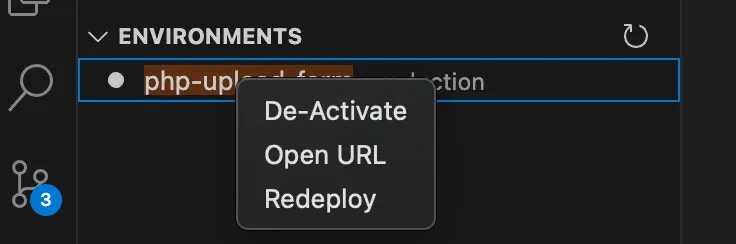
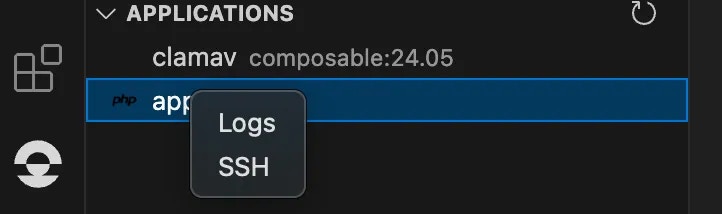
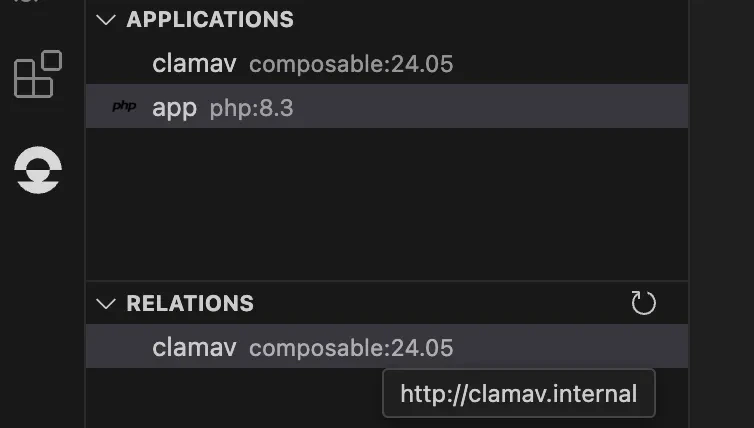
Quick access to project routes
Quickly list and open public URLs defined in your project’s route section, facilitating easier testing and sharing of your applications.
How to install
You can find the extension on the VSCode Marketplace, or install it directly from your VSCode editor:- Open the Extensions sidebar (⇧⌘X / Ctrl+Shift+X)
- Search for
Upsun - Click Install
As of April 2025, the Upsun Integration extension is in preview, so you’ll see the following warning before installation: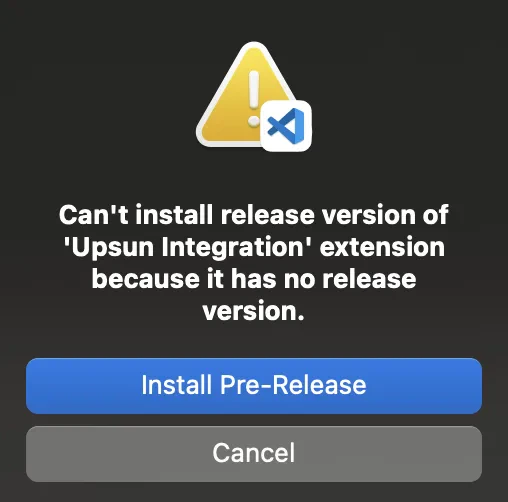
The extension is stable and actively maintained, and we welcome your feedback!
The extension is stable and actively maintained, and we welcome your feedback!
💡Early adopters like you help shape the final release!
Try it out, share your thoughts, and help us improve.
Open a new issue on the Upsun Integration GitHub repository