

.upsun/config.yaml files can be tedious if your editor doesn’t help you catch errors early or suggest valid keys as you type.
Fortunately, you can get schema-based validation and autocompletion in popular editors like VSCode and PhpStorm — making your configuration faster, safer, and less error-prone.
In this article, we’ll show you how to set up this support using the official Upsun schema from SchemaStore.org,
which IDEs like PhpStorm can automatically detect: upsun.json schema
With just a few steps, you’ll get autocomplete for YAML config keys, inline documentation, and real-time error highlighting — all from your editor.
Let’s dive in! 🛠️
Schema Available on SchemaStore
The validation schema for.upsun/config.yaml is published on SchemaStore, a centralized catalog of widely used JSON and YAML schemas.
Because it’s listed on SchemaStore:
- most IDEs, like VSCode, PhpStorm, WebStorm, and IntelliJ IDEA (complete list here), automatically detect and apply the schema when you open a
.upsun/config.yaml. - You benefit from autocompletion, inline errors, and context-aware editing — out of the box.
Result with VSCode
If you’re using Visual Studio Code, consider installing the Upsun VSCode extension.
It brings powerful features, including:
- Schema-based autocompletion
- Real-time configuration validation
- Helpful inline documentation on hover
- Project-aware interactions (more on this in an upcoming blog post)
.upsun/config.yaml — no extra setup required.Autocomplete
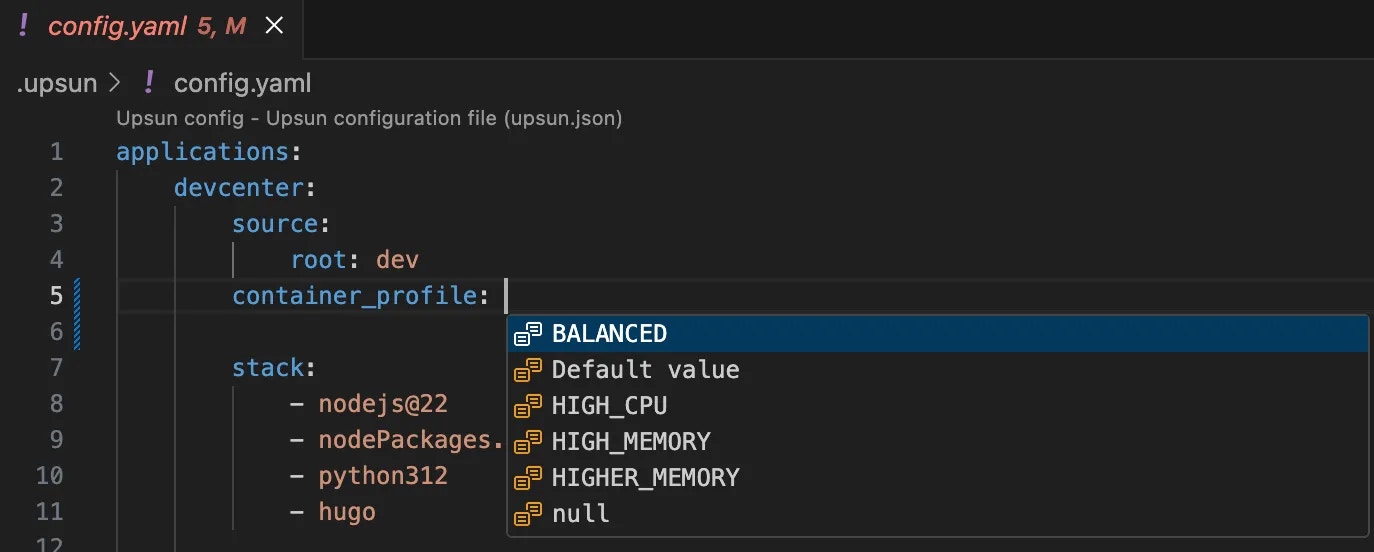
If you’re unsure which settings are available at any level, just start typing — or press Ctrl+Space (or Cmd+Space on macOS) — to see a list of available parameters.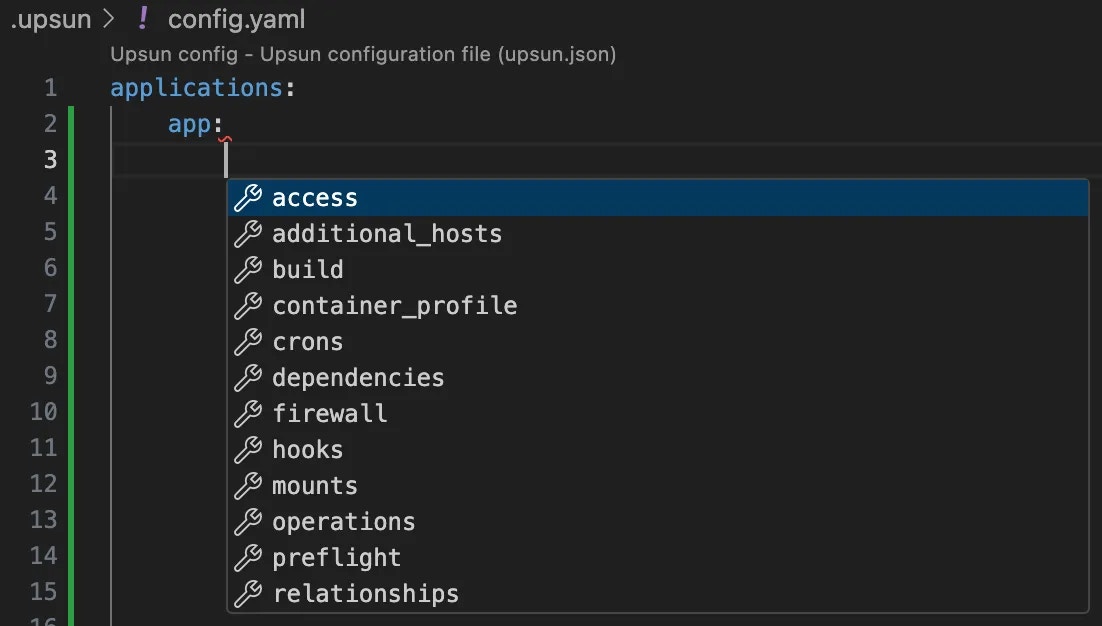
Info on settings
When you hover your mouse over any YAML setting, helpful information and documentation links are displayed.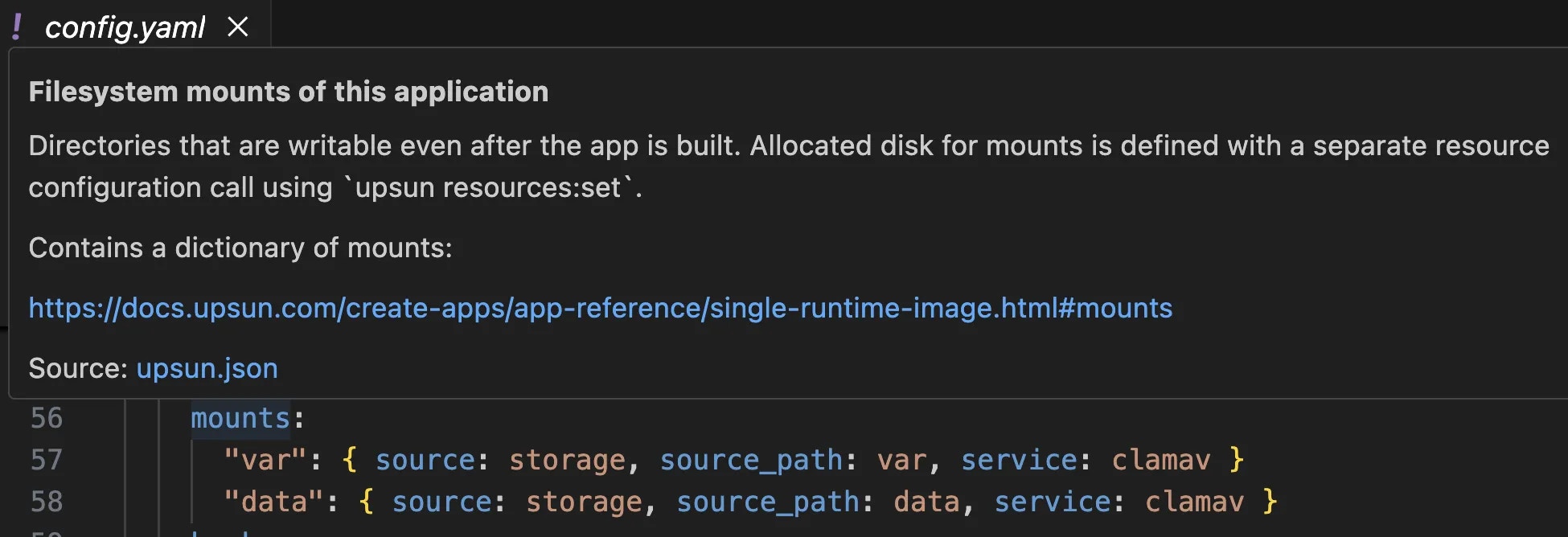
Deprecated settings
As our product evolves, some settings have been deprecated and are now marked with an orange underline. Hover your mouse over the setting to see a tooltip with helpful information about the deprecation and suggested alternatives.
Result with PhpStorm
Using PhpStorm, to ensure you’re always using the latest version of the configuration schema,
enable the Always download the most recent versions of schemas option under
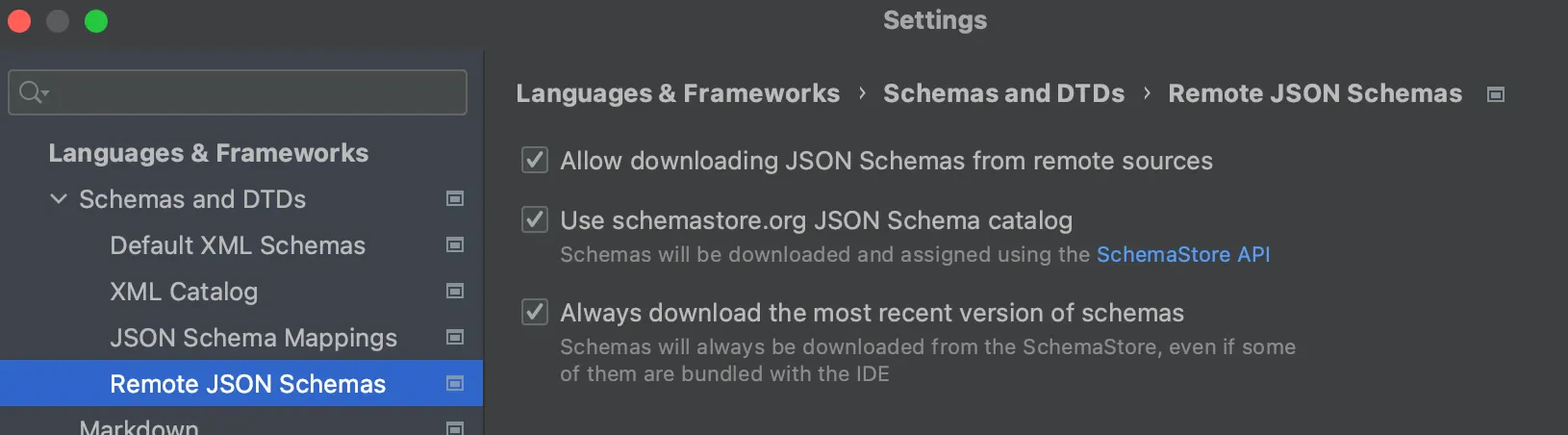
Settings > Languages & Frameworks > Schemas and DTDs > Remote JSON Schemas:Autocomplete
If you’re unsure which settings are available at any level, just start typing — or press Ctrl+Space (or Cmd+Space on macOS) — to see a list of available parameters.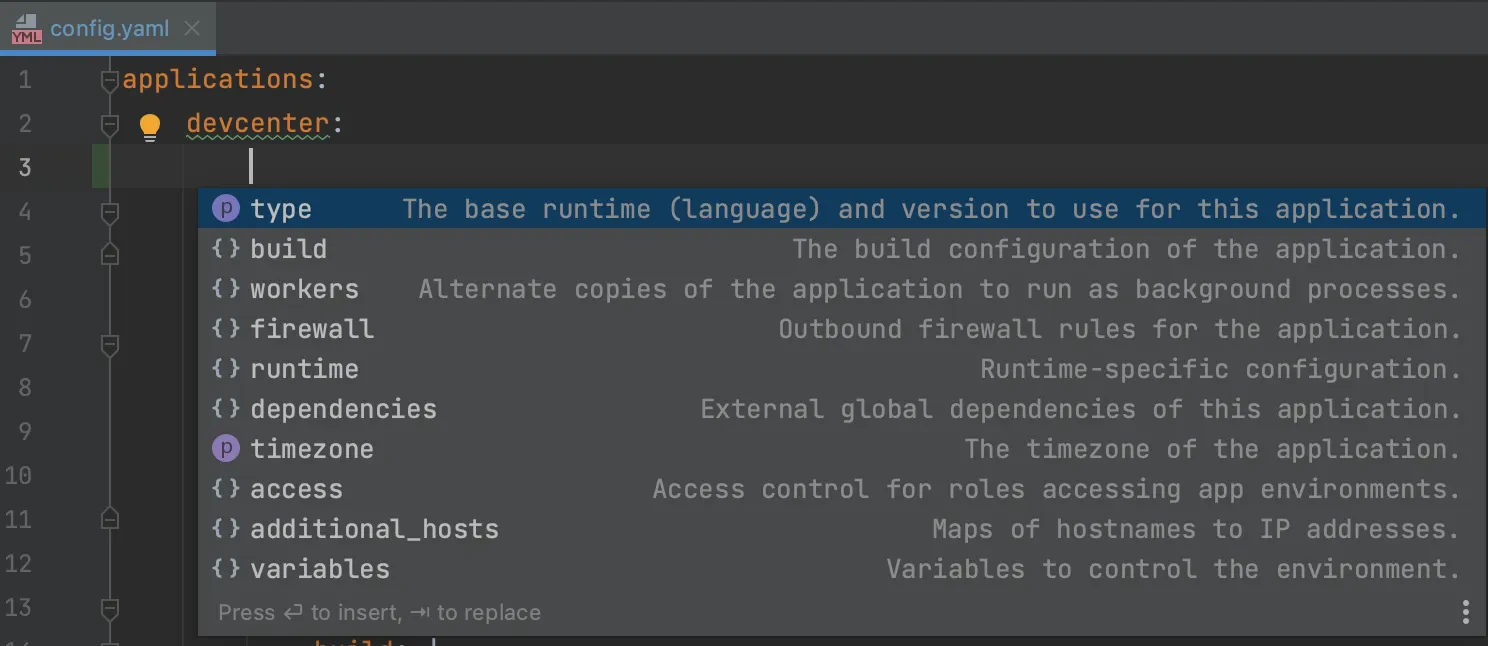
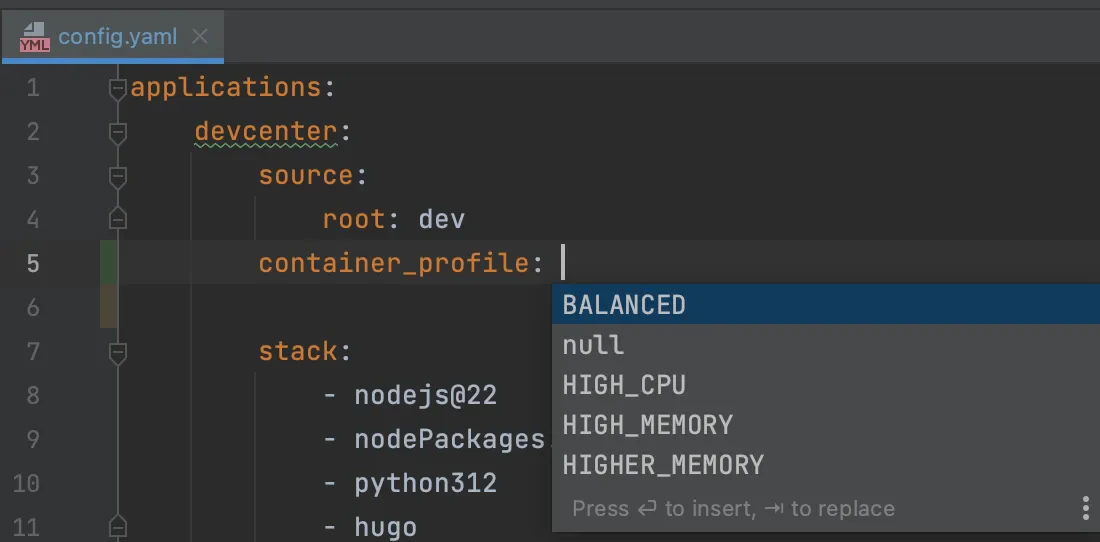
Info on settings
When you hover your mouse over any YAML setting, helpful information and documentation links are displayed.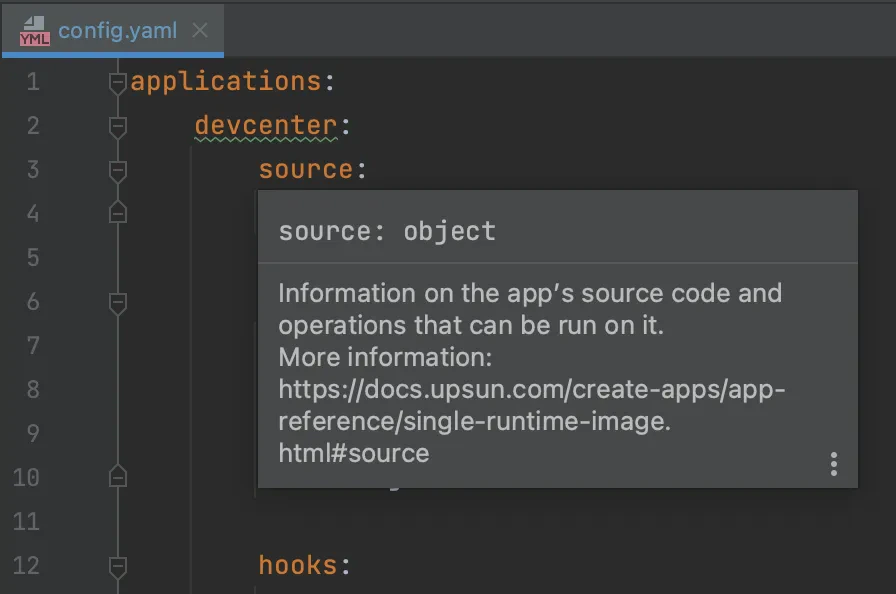
Deprecated settings
As our product evolves, some settings have been deprecated and are now marked with an orange underline. Hover your mouse over the setting to see a tooltip with helpful information about the deprecation and suggested alternatives.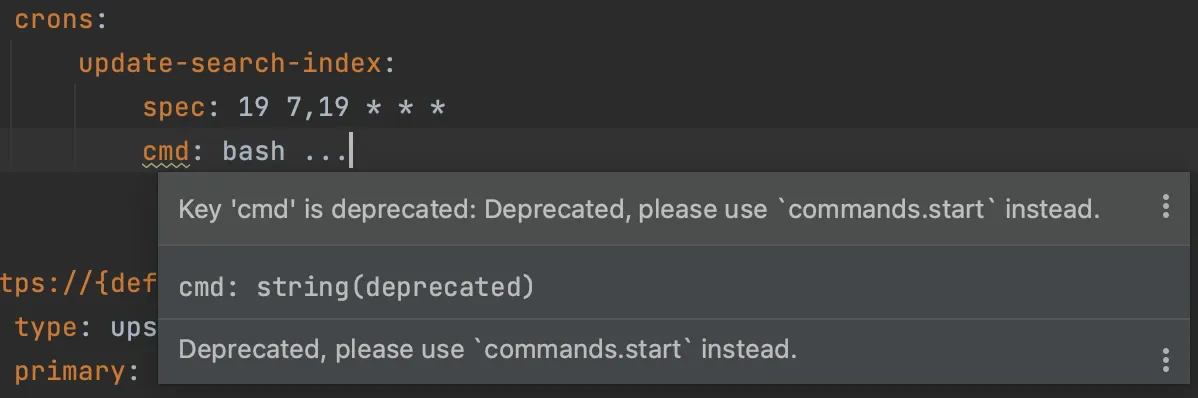
Best practices
- Always validate your config before committing or deploying.
- If you’re using CI/CD, consider adding schema validation as a pre-check.
- Keep your IDE schema mappings up to date — most modern IDEs do this automatically.
.upsun/config.yaml becomes seamless — and ensures your configuration is always predictable, stable, and ready for production.
Happy deploying! 🚀
If you need assistance with setting up validation in your specific IDE or integrating it into your CI/CD pipeline, feel free to contact us on our Discord.