Learn how GitHub actions can streamline your Platform.sh deployments for faster and more efficient development workflows
Last week, we took a look at how shareable activities - specifically the
link made available to a particular activity’s logs in the management console - could be surfaced as a part of a
GitHub integration using
GitHub actions. It was a nice bit
of fun playing around with GitHub actions for the first time, and it let me make
something new and useful for my team’s work.But I caught a little bit of the curiosity bug. What else could I link up to my workflow, now that I can trigger events
in response to a Platform.sh environment deployment? Well, since I linked an activity’s logs to a failed deployment, it
only makes sense to trigger some things in response to a successful one.
Using GitHub actions to monitor Platform.sh deployment status
Take a moment to check out
the previous post centered around GitHub actions.
It’ll provide a little context, plus go into much more detail about how the status of a Platform.sh deployment can
actually be used to trigger workflows on GitHub. Plus, we’re going to build additional jobs in the same
post-deploy.yaml file we started in that post.Let’s take a look at the file, ignoring the displaylogs job we made previously, and instead focusing on the build
job that sets everything else up:
Github actions status checks ensures deployment ease and success
One of the great things about GitHub actions is that I don’t have to write them. If I, for example, wanted to make a
quick status check on the environment, I can leverage the generous work of
another published action in my workflow pretty easily.
In this case, I’ve written a new job called test which will:
Only run if the output of the build job (and the status of my Platform.sh environment) is successful.
Will use the lakuapi/gh-actions-http-status public action to place a request on the environment URL also retrieved
from the build job.
Apply an expected status to that request. If the statuses match, the step will pass, adding another check to my pull
request. Should it receive a 404 or 503, the step fails and we can go investigate where the deployment fell short.
This snippet only covers the homepage of the development environment, but I could also include more endpoints in the
sites array, with matching expected statuses that will show up as separate steps in my final workflow for the push.
Configuring Lighthouse with GitHub actions to monitor user experience
Status checks for GitHub actions are great, but what I really want to know is whether a pull request is modifying the
experience a user has when they visit my application in some negative way. Once again, I can add a job that uses a
publicly available GitHub action - in this case, to perform a
Lighthouse audit on my environment URL.To start, we can add a few workflow-level environment variables to post-deploy.yaml
These variables are going to set a few thresholds for the four main audits we’d want to keep high on our homepage:
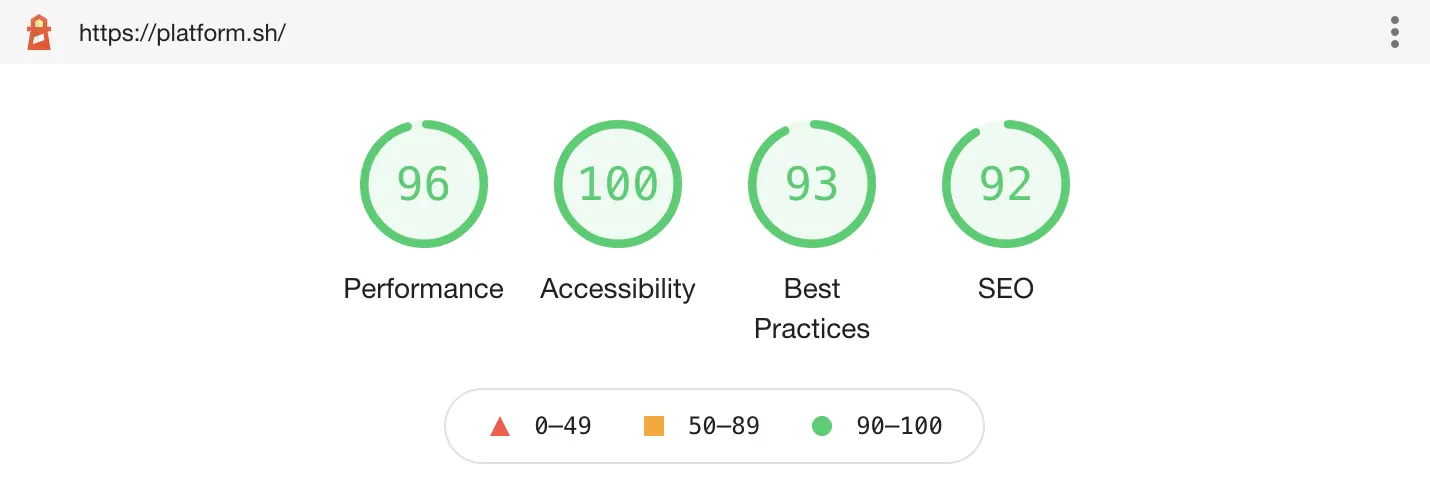
Accessibility, Best Practices, Performance, and SEO.Here’s what the Lighthouse report looks like for our Platform.sh homepage:Not too shabby!Let’s add a new job called audit which uses the
jakejarvis/lighthouse-action GitHub action, first focusing
on the Accessibility audit.
Only run on pushes to a branch associated with a pull request integrated with a Platform.sh environment that has
successfully deployed. (See build above)
Upload the full report as a workflow artifact, so that we can inspect individual recommendations in detail later.
The action will also save a local copy of the report in two formats - html and JSON - in a report subdirectory. We
can then use the jq tool to retrieve the accessibility score.
Run a simple test based on the Accessibility audit using the ACC_MIN threshold we set previously. In this case, if
the accessibility score for our environment is below 90%, the step and workflow will fail for the push.
Using this same logic we can add tests for Best Practices:
Streamline your Platform.sh deployments with GitHub actions
There’s two more things down that can be connected to Platform.sh deployments using GitHub actions. You can find the
full Gist for the workflow described above on
GitHub.Goodbye for now - until I can think of something else interesting to play with here. If you have a custom workflow, or
if you’d like to share tips and tricks of your setup, let us know by sharing your actions with the rest of our
Upsun Community Forum.
Last modified on June 5, 2026
Was this page helpful?
Assistant
Responses are generated using AI and may contain mistakes.


 Dispatch
 Cloud
Cloud