

 Dispatch
 Cloud
Cloud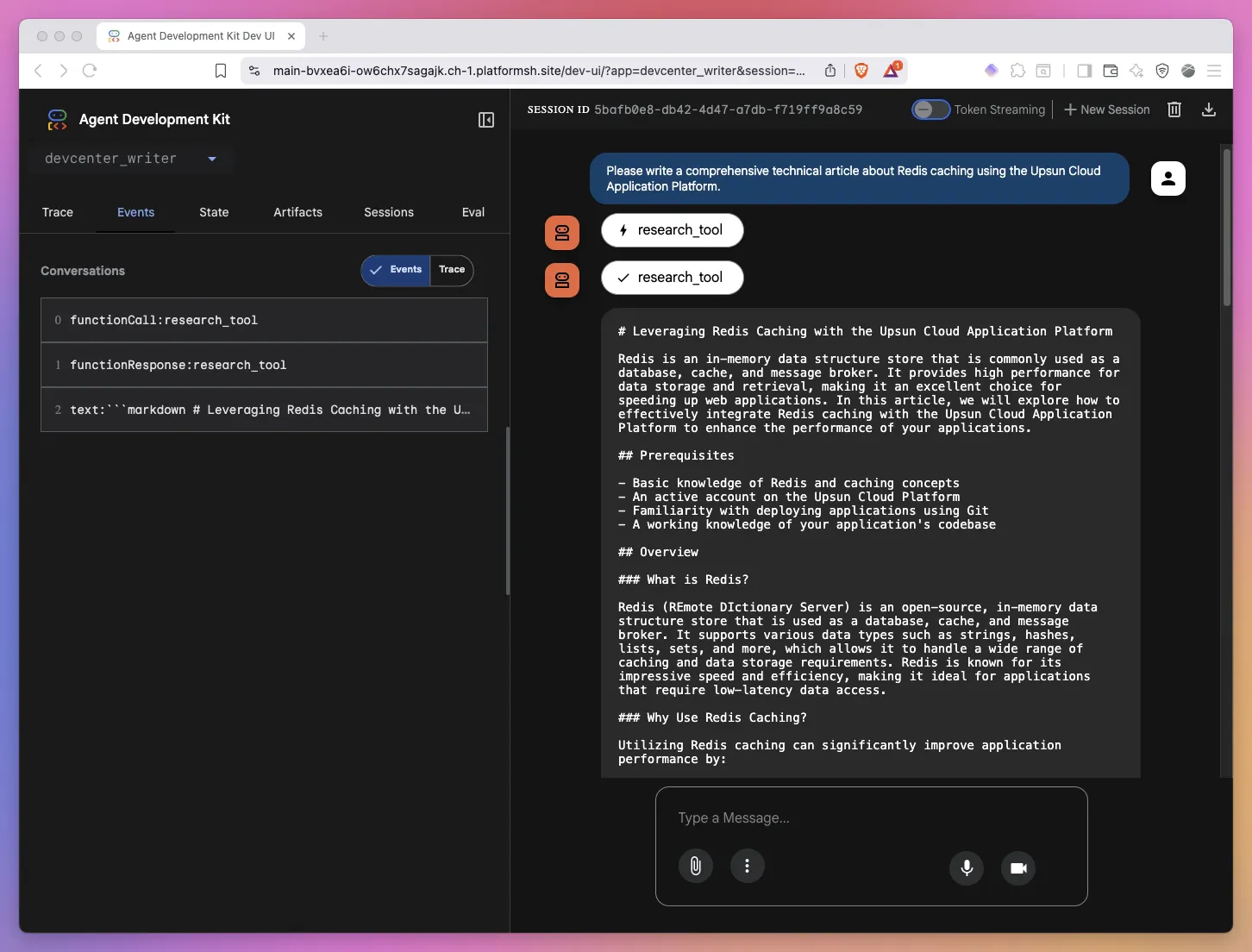
The challenge: Beyond generic AI responses
Generic AI assistants are impressive, but they fall short when you need domain-specific expertise. Ask ChatGPT to write a technical article about your company, and you’ll get something generic—accurate in structure perhaps, but lacking the nuance, brand voice, and technical depth your team needs. The problem isn’t the model’s capability, it’s the context. Large language models don’t inherently know about your company’s:- Technical documentation and best practices
- Brand voice and messaging guidelines
- Content templates and formatting standards
- Product-specific features and terminology
- Team personas and target audiences
The solution: Context building, not prompt engineering
Our key insight was this: building better agents isn’t about writing better prompts, it’s about building better context. Traditional prompt engineering tries to cram everything into the user’s message:- Token limits: You hit model context windows quickly or encounter context rotting issues
- Cost: Every query pays for the same massive context
- Maintenance: Updating guidelines means updating every prompt
- Relevance: Most of that context isn’t relevant to the specific request
- Static Knowledge: Injected once into the agent’s instructions—brand voice, writing standards, personas
- Dynamic Retrieval: Retrieved on-demand using RAG (Retrieval-Augmented Generation)—relevant documentation, code examples, technical details
Architecture overview: The big picture
Before diving into implementation details, let’s understand the system architecture: The system has five main components:- Document Ingestion: Daily cron job that syncs Git repositories, processes markdown files, and updates embeddings in ChromaDB
- ChromaDB Vector Database: Stores document embeddings for semantic search
- RAG Query Engine: Retrieves relevant content using vector similarity search
- Google ADK Agent: Orchestrates responses using static knowledge and dynamic retrieval
- User Interfaces: Web and CLI interfaces for interaction
Component 1: ChromaDB Vector Database
ChromaDB is an open-source embedding database designed for building AI applications with semantic search capabilities. Think of it as a specialized database that stores text alongside vector representations (embeddings) that capture semantic meaning.Why vector databases?
Traditional keyword search fails with semantic queries:- Query: “How do I cache data for better performance?”
- Keyword match: Looks for exact words like “cache”, “data”, “performance”
- Semantic match: Understands concepts like caching, Redis, performance optimization, CDNs
- Converting text to high-dimensional vectors (embeddings) that capture meaning
- Finding similar content using vector similarity (cosine distance)
- Returning results ranked by semantic relevance
ChromaDB Setup on Upsun
We deploy ChromaDB as a separate application on Upsun. Here’s the configuration from our.upsun/config.yaml:
- Python 3.12: ChromaDB requires Python 3.11+
- UV package manager: Fast, modern Python dependency management
- Persistent storage: The
mountssection ensures embeddings survive deployments - Dynamic port: Upsun automatically assigns the
$PORTvariable
Document schema
Each document chunk in ChromaDB has this structure:- Filtering: “Only search documentation, not blog posts”
- Attribution: “This content came from article X”
- Recency: “Prioritize recently updated content”
Component 2: Document ingestion system
The ingestion system is responsible for keeping ChromaDB synchronized with our Git repositories that hold most of our technical content (documentation, the devcenter, blogs). It runs daily via an Upsun cron job and processes markdown files with intelligent chunking.The ingestion flow
SSH authentication for private repositories
One challenge was securely accessing private GitHub repositories. We solved this with SSH key authentication:Intelligent text chunking
Not all text chunks are created equal. We use a token-aware chunking strategy that balances context preservation with embedding model limits:-
Chunk size: 1500 tokens (~6000 characters)
- Large enough to preserve context
- Small enough for embedding model limits
- Roughly 2-3 paragraphs of technical content
-
Overlap: 200 tokens (~800 characters)
- Ensures concepts split across chunks remain findable
- Provides context continuity
- Helps with concepts mentioned near chunk boundaries
-
Token encoding:
cl100k_base- Same tokenizer used by GPT-3.5 and GPT-4
- Ensures accurate token counting
- Prevents embedding model errors
Incremental updates
Efficiency matters. We only process files that have changed:repo_state.json to skip unchanged files
Component 3: RAG (Retrieval-Augmented Generation)
RAG is the secret sauce that makes our agent domain-aware. Instead of relying solely on the model’s training data, we dynamically retrieve relevant information from our vector database.How RAG Works
Two-Stage RAG Implementation
Our RAG system uses a two-stage approach: Stage 1: Keyword Generation Instead of searching with the raw user query, we use OpenAI to generate optimal search keywords:redis cachingupsun cache configurationperformance optimizationcache eviction policies
- Creates an embedding for the keyword using OpenAI’s
text-embedding-3-small - Computes cosine similarity against all document embeddings
- Returns the top N most similar chunks
- Ranks results by similarity score (distance)
Formatting retrieved context
Raw chunks aren’t usable directly. We format them into structured markdown that the agent can understand:RAG in action: An example
Let’s trace a real query through the system: User Query: “Write an article about Redis caching on Upsun” Generated Keywords:- Redis service configuration from platformsh-docs
- Caching strategies article from devcenter
- Redis performance tuning from blog post
- Cache eviction policies documentation
- Redis connection pooling example
- Real-world Redis implementation case study
Component 4: Static knowledge base
While RAG provides dynamic and relevant content, static knowledge ensures consistency and brand alignment. Our static knowledge lives in two directories:/knowledge/ Directory
Contains foundational content injected into every agent interaction. The list of injected files can be customized per agent as they all don’t need the same knowledge.
Here are some examples from our AI-Brain internal project:
upsun_writing_guidelines.md: Tone, style, voiceupsun_technical_context.md: Platform capabilities, terminologycontent_templates.md: Article structures, formatspersonas.md: Target audience personasicp.md: Ideal customer profilemessaging_positioning.md: Value propositions, key messagestalking_points.md: Common themes and narratives
/rules/ Directory
Contains operational rules and constraints:
content-creator.md: Role definition and responsibilitiesformat.md: Formatting requirementsstyleguide.md: Language conventionsupsun.md: Additional rules and guidelines about the brand
Loading static knowledge
The agent loads this content once at initialization:Component 5: Google ADK Agent
Now we bring everything together with Google’s Agent Development Kit (ADK), a framework for building production-ready AI agents.Why did we choose Google ADK?
Google ADK stood out for several compelling reasons. First, it’s model-agnostic, meaning we can work with OpenAI, Anthropic, Google, or even local models without changing our core implementation. The framework excels at tool integration, making it trivial to add custom capabilities like our RAG research function. For complex workflows, ADK supports multi-agent orchestration, allowing multiple specialized agents to collaborate seamlessly. We also appreciated the deployment flexibility. The same agent code can be deployed via CLI, web UI, or API without modification. Finally, ADK handles conversation management automatically, taking care of state, history, and context tracking so we can focus on building great agent experiences rather than infrastructure.Google ADK limits the use of the Google’s
web_search tool to gemini models. Fortunately a lot of other tools like tavily can replace this and work with any model.Agent structure
Here’s the core agent definition:Based on our testing, Claude Sonnet always produce the best results but your experience may vary greatly from one use-case to the other. As we use
LiteLLM as an abstraction, it is straightforward to use multiple models based on the agent or even inside one specific agent so models can review and validate each other.The power of context building
Notice what we’ve achieved here. The agent has:-
Static Context (in
instruction):- 50KB of brand guidelines, templates, personas
- Loaded once, available for every query
- Ensures consistency across all responses
-
Dynamic Context (via
research_tool):- Retrieves relevant docs on-demand
- Only fetches what’s needed for each query
- Provides fresh, accurate technical information
-
Tool Access (via
toolsparameter):- Can call
research_toolwhen needed - Agent decides when to retrieve additional context
- Autonomous research capability
- Can call
Agent execution flow
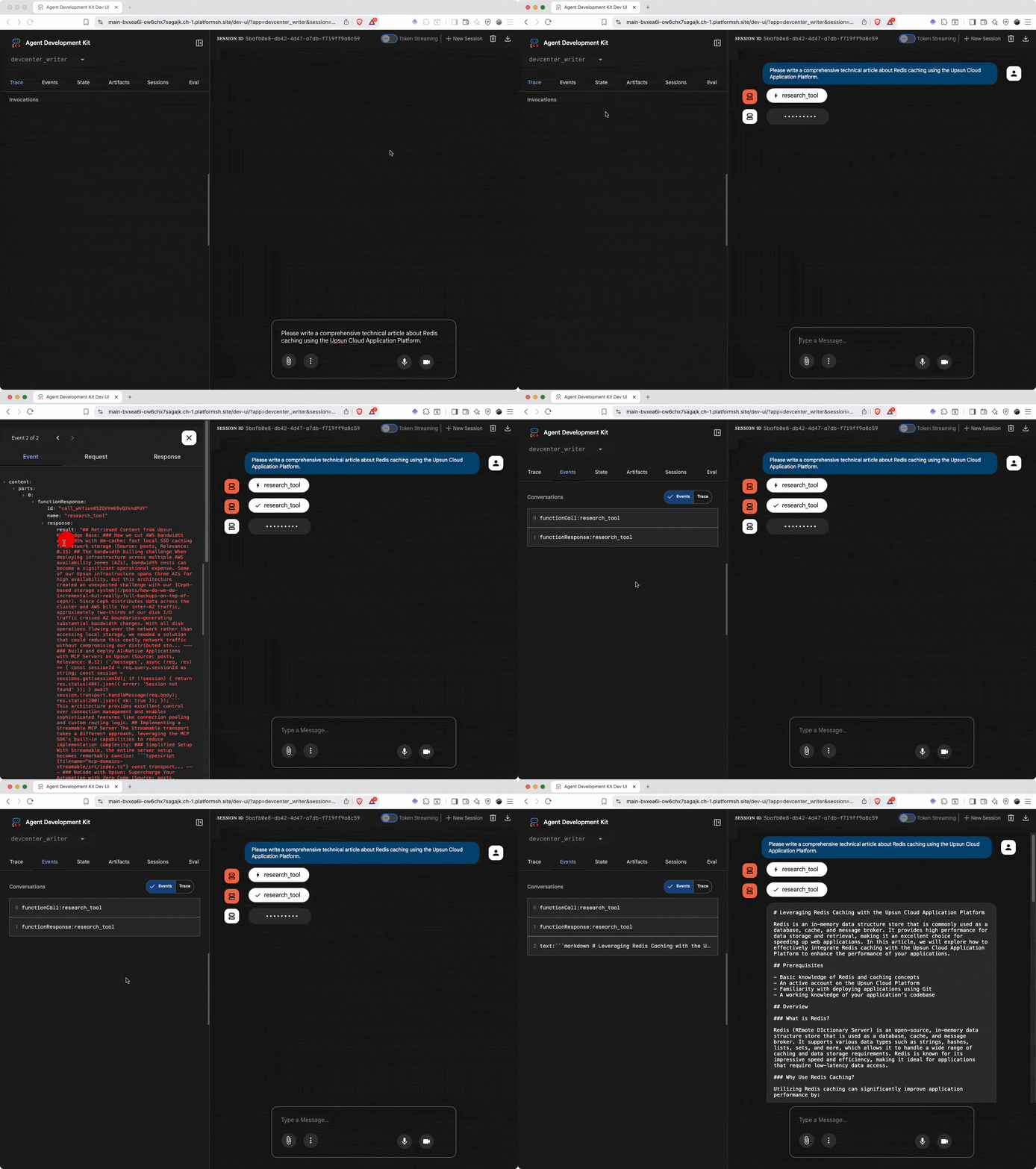
When a user makes a request, here’s what happens: The agent autonomously decides when to use the research tool based on the user’s request and its available context.Deploying on Upsun: Multi-application architecture
Here’s where Upsun’s multi-application support shines. We deploy our system as two independent applications that communicate internally.Why multi-application?
- Separation of concerns: ChromaDB and the agent have different resource needs
- Independent scaling: Scale database separately from application
- Service isolation: ChromaDB failures don’t affect agent (and vice versa)
- Clear boundaries: Each service has its own configuration and storage
Upsun Configuration
Here’s our complete.upsun/config.yaml:
Key configuration insights
1. Application RelationshipsCHROMA_HOST: Internal hostname for ChromaDBCHROMA_PORT: Port number for ChromaDB- No external network calls required
- Fast, secure inter-application communication
documents/: Cloned Git repositories.db/and.chroma/: ChromaDB data and indexes
- Runs at 3 AM UTC (low-traffic window)
- Pulls latest changes from Git
- Updates ChromaDB incrementally
- Graceful shutdown with timeout
--frozenflag: Fails if dependencies don’t match lockfile--no-syncflag: Prevents write attempts at runtime
upsun variable:create:
Performance and cost
Ingestion performance
- Documents Processed: 243 files
- Total Chunks Created: ~1,200 chunks
- Processing Time: 8-15 minutes (depends on OpenAI API latency)
- Incremental Updates: Only changed files processed (typically 1-5 files/day)
- Storage Size: ~5-10 MB for embeddings
- Cost: ~$0.10-0.20 per full ingestion (OpenAI embedding costs)
RAG Query Performance
- Keyword Generation: ~500ms (OpenAI API)
- Vector Similarity Search: ~50-100ms per keyword (ChromaDB)
- Total Retrieval Time: ~1-2 seconds for 3 keywords
- Results Returned: 6 most relevant chunks (~3,000-5,000 tokens)
- Cost: ~$0.01 per query (keyword generation + retrieval)
Agent response performance
- Static Knowledge Loading: ~50ms (cached after first load)
- RAG Retrieval: ~1-2 seconds
- LLM Generation: ~5-15 seconds (depends on output length)
- Total Response Time: ~8-20 seconds for complete article
- Cost: ~$0.05-0.15 per article (depends on length)
Best practices and lessons learned
After building and deploying this system, here are our key takeaways:Context building beats prompt engineering
The most important lesson we learned is to separate concerns rather than cramming everything into prompts. Static context like brand guidelines and standards should be injected once in agent instructions, while dynamic context from documentation and examples should be retrieved on-demand via RAG. This clear separation scales to unlimited documentation without hitting token limits, and makes the system far more maintainable than traditional prompt engineering approaches.Chunking strategy matters
Through experimentation, we found that chunk size dramatically affects retrieval quality. Chunks that are too small (500 tokens) fragment concepts and produce poor results, while chunks that are too large (3000 tokens) lose precision and retrieve irrelevant sections. Our sweet spot of 1500 tokens balances context preservation with search precision. Equally critical is the 200-token overlap between chunks, which prevents concepts split across boundaries from being lost during retrieval.Two-stage RAG improves quality
While direct query-to-embedding search works, adding keyword generation as a first stage significantly improves results. Using a language model to generate 3-5 targeted search keywords from the user’s request improves recall by finding content even with different phrasing, enables better semantic matching since keywords capture intent more precisely, and produces more focused results through technical terminology.Rich metadata pays dividends
Investing in rich metadata during ingestion enables powerful filtering capabilities later. You can search only official documentation versus blog posts, prioritize recently updated content, filter by content type like tutorials or guides, or query by tags for specific topics. Don’t skimp on metadata during ingestion—it’s one of the highest-value investments you can make in your RAG system.Incremental processing saves resources
Full re-ingestion of our 243 documents takes 15-20 minutes and costs $0.10-0.20 in API fees. By implementing incremental updates that only process changed files and track state with Git commit hashes, we typically process just 1-5 files per day, saving 95% of processing time and costs. This makes daily updates practical and economical.Monitor and iterate
Not all embeddings perform equally well. Continuously monitor similarity scores to understand retrieval relevance, gather user feedback on whether the agent finds the right content, and track false negatives where queries return no useful results. Use this feedback loop to refine your chunking strategy, adjust metadata, and improve keyword generation prompts.Static knowledge ensures consistency
Without static knowledge injected into the agent’s instructions, outputs vary unpredictably—writing style shifts between responses, brand guidelines get missed, target audience considerations are forgotten, and formatting becomes inconsistent. Static knowledge provides the “personality” and standards that make every output consistent and on-brand, regardless of what dynamic content gets retrieved.The future of internal AI agents
Building AI-Brain taught us that successful AI agents aren’t about having the best model. They are about building the best context. By separating static knowledge (brand voice, guidelines, standards) from dynamic retrieval (technical documentation, code examples), we created an agent that writes like our team by following brand guidelines consistently, stays technically accurate by retrieving current documentation on demand, scales effortlessly to handle unlimited documentation without hitting token limits, and remains maintainable because knowledge files can be updated independently without touching agent code. This architecture adapts to any domain. For customer support, combine static response guidelines with dynamic knowledge base retrieval. For code generation, pair static coding patterns with dynamic code search across your repositories. For data analysis, merge static methodologies with dynamic data retrieval. For documentation, unite static writing standards with dynamic content search across your docs. The tools are remarkably accessible. Google ADK provides a free, open-source agent framework that handles orchestration. ChromaDB offers a free, open-source vector database for semantic search. OpenAI and Claude operate on pay-per-use models with no infrastructure requirements. Upsun delivers a managed platform that eliminates DevOps complexity entirely. Your next steps:- Identify a use case: What internal task could benefit from AI assistance?
- Gather static knowledge: What guidelines should the agent always follow?
- Identify dynamic sources: What documentation should be searchable?
- Start small: Build a prototype with 10-20 documents
- Iterate: Add more documents, refine prompts, improve retrieval
- Deploy: Use Upsun’s cloud application platform for production
Resources:
- Google ADK Documentation
- ChromaDB Documentation
- OpenAI Embeddings Guide
- Upsun Multi-App Guide
- UV Package Manager