

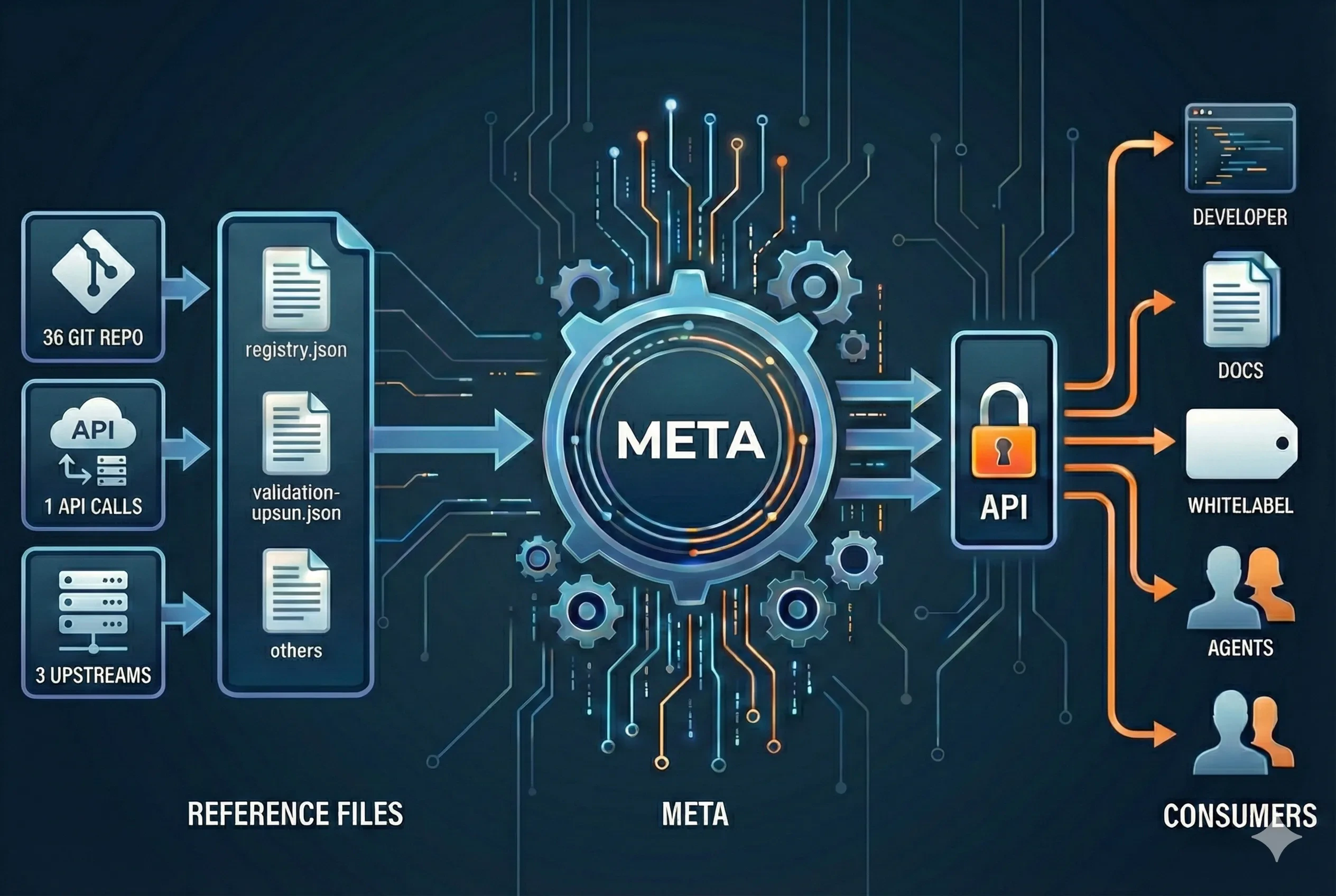
The problem: reference data everywhere
Historically, Upsun’s technical reference data lived in multiple places:- YAML and JSON files embedded directly in the documentation repository
- Registry files manually updated by Technical writers
- Data duplicated or reinterpreted by external tools
- Updates spread across several repositories, each with its own lifecycle
- ❌ Manual updates were time-consuming and error-prone
- ❌ Hard to find the source of truth for technical writers
- ❌ Inconsistent data between docs, tooling, and internal usage
- ❌ Poor reusability for teams outside the documentation pipeline
- ❌ Slow iteration when adding or deprecating versions
Introducing Meta-Upsun: Upsun reference, centralised
To address this, we built Meta-Upsun, a publicly exposed infrastructure component designed to centralise Upsun’s technical reference data in a single place. 👉 https://meta.upsun.com Meta-Upsun acts as a single source of information for everything that defines what Upsun supports. It provides:- A unified registry for images, runtimes, regions, and extensions
- A read-only API, consumable by humans and machines
- Granular access to specific data (for example, only PHP image versions)
- Outputs in JSON or YAML, depending on your needs
A read-only, versioned API
Meta-Upsun exposes its data through a versioned REST API:- 📘 OpenAPI / Scalar documentation 👉 https://meta.upsun.com/api-docs
- 🔒 Read-only by design No write endpoints, no mutations from consumers.
-
🧩 Granular access
You can fetch:
- All images or a single runtime
- Only versions
- Regions filtered by provider or geographic zone
- PHP extensions per version and distribution
GET /image→ https://meta.upsun.com/api-docs#tag/images/GET/image
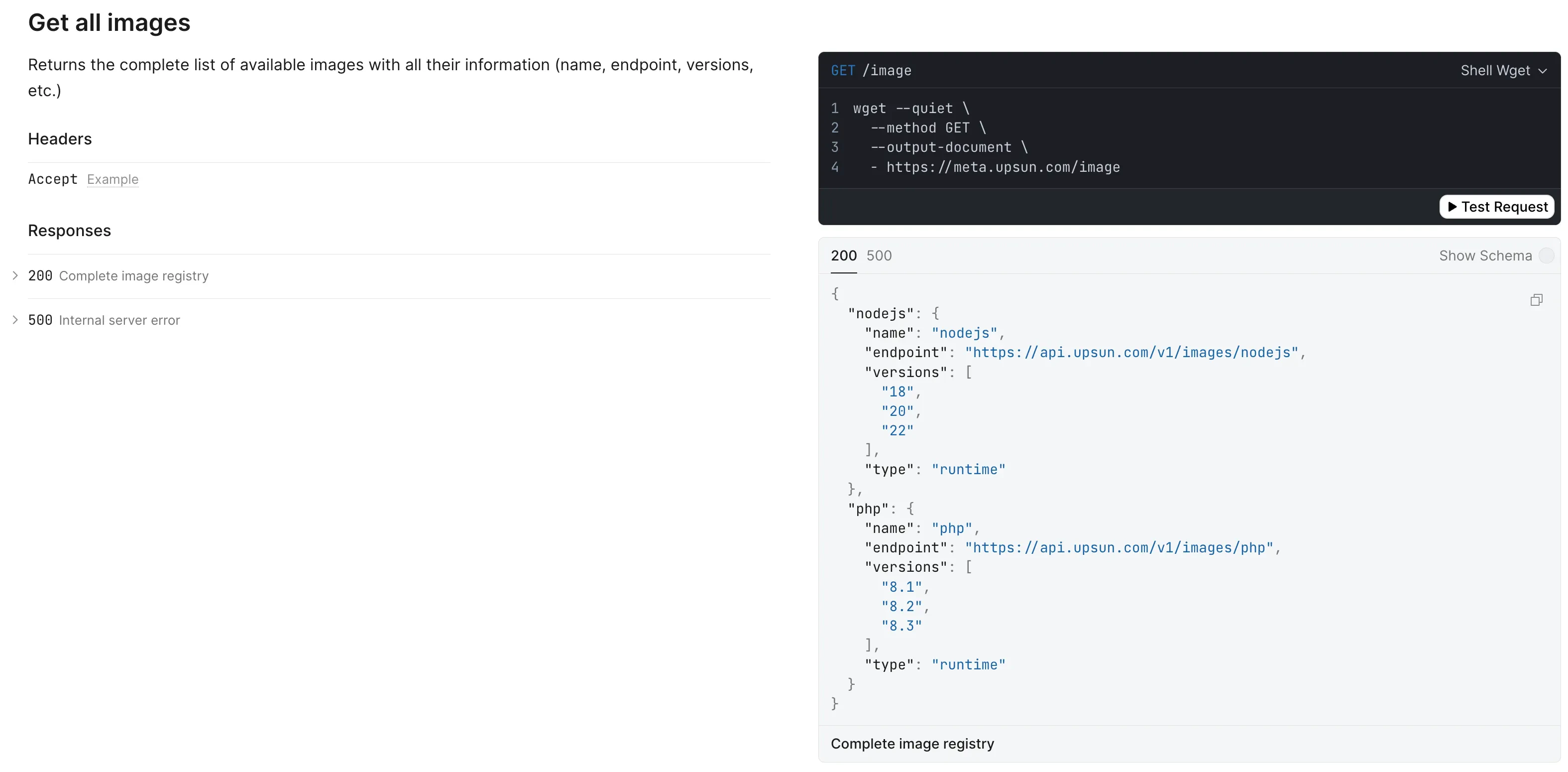
curl, and other languages).
Reliability and validation built-in
Accuracy is critical for reference data. Meta-Upsun enforces it at multiple levels:- ✅ Schema validation of registry files (currently for
registry.json, with more coming) - ✅ Human validation via pull requests: all updates go through PRs
- ✅ Versioned endpoints, already used by the next generation of Upsun documentation
- ✅ Consistent structure, enforced by OpenAPI and runtime validation
Aligning registry status with upstream support
In the early days the registry simply split versions intosupported and deprecated buckets:
- Active / supported – the version is still in upstream active support.
- Deprecated – active support has ended, only critical security updates land.
- Retired – the community considers the version end-of-life, we keep the image available “as-is” for roughly 180 days while customers switch, but we stop applying patches.
- Decommissioned – the image is removed and can no longer be built; projects both old and new will fail to build against it.
registry.json (human or machine) understands exactly where a version stands.
We will cover this change in more depth in a follow-on episode that unpacks how Meta-Upsun now exposes the registry structure and what consumers should expect.
How Meta-Upsun fits into the ecosystem
Meta-Upsun is designed as a shared infrastructure layer. The typical consumers look like this: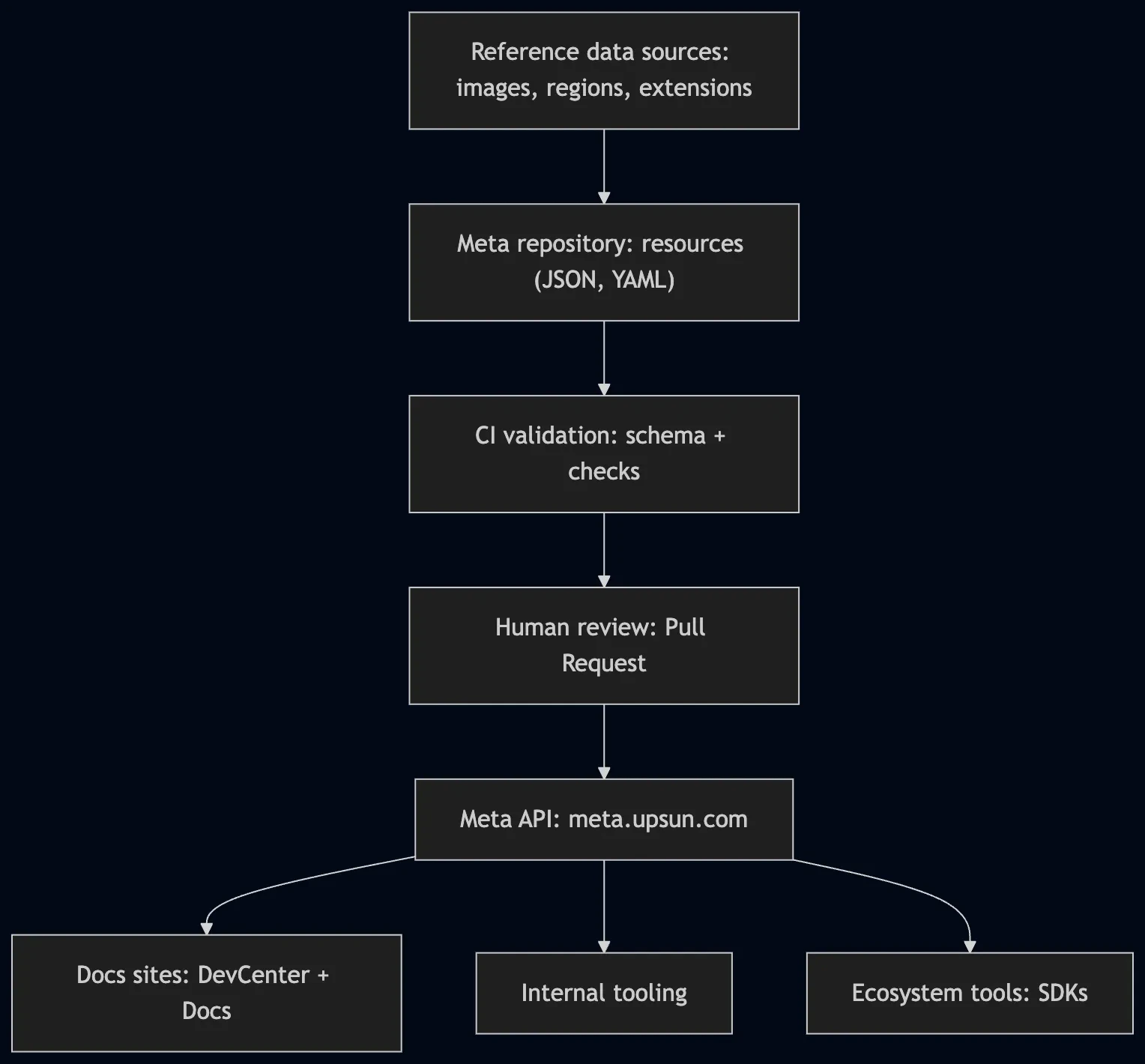
Powering the next generation of documentation
Meta-Upsun is already used internally as a foundation for future-facing projects. One concrete example: we are currently migrating our documentation stack. Instead of embedding reference data directly in Markdown files, the new documentation can consume Meta-Upsun’s API endpoints to display:- Supported, deprecated and retired versions
- Runtime and service matrices
- PHP extensions per version
- Region availability
This topic is covered in more detail in a dedicated blog post, which we’ll link here once published.
Leveraging Upsun’s agility
Upsun’s platform helped us move fast: we relied on its reusable infrastructure (CI/CD, environments, observability hooks, and deployment artifacts) to build Meta-Upsun iteratively, validate it in staging, and ship updates within days rather than weeks. This solution is a direct benefit of Upsun’s focus on enabling agile delivery for internal and customer-facing tooling. Several Upsun teammates contributed to this project, each bringing ideas or validations from their domain to help accelerate delivery.What’s next
Meta-Upsun is not just a backend for documentation. It is designed to be consumed by:- Internal tooling
- Validation pipelines
- External teams and ecosystem tools
Links
- Upsun Docs: https://developer.upsun.com/docs
- Meta-Upsun: https://meta.upsun.com
- API docs (Scalar): https://meta.upsun.com/api-docs
- Get Images: https://meta.upsun.com/api-docs#tag/images/GET/image
- Get Regions: https://meta.upsun.com/api-docs#tag/regions/GET/region
- Get PHP Extensions: https://meta.upsun.com/api-docs#tag/extensions
config.yamlvalidation schema: https://meta.upsun.com/api-docs#tag/validation- Upsun OpenAPI specification: https://meta.upsun.com/api-docs#tag/openapi
To learn more about Upsun, visit our comprehensive documentation.