> ## Documentation Index
> Fetch the complete documentation index at: https://developer.upsun.com/llms.txt
> Use this file to discover all available pages before exploring further.

# Decouple your Symfony frontend using Next.js

> How to decouple your frontend from your backend, using a Symfony project as backend and adding a Next.js application for frontend.


export const PostMeta = ({data = {}}) => {
  const {author, date} = data;
  const authors = Array.isArray(author) ? author : author ? [author] : [];
  const resolveAuthor = slug => {
    const entry = AUTHOR_MAP[slug] || ({});
    const name = entry.name || slug;
    const github = entry.github || null;
    const linkedin = entry.linkedin || null;
    const url = github ? `https://github.com/${github}` : linkedin || null;
    const avatarUrl = github ? `https://github.com/${github}.png?size=64` : null;
    return {
      name,
      url,
      avatarUrl
    };
  };
  const formattedDate = date ? new Date(date).toLocaleDateString('en-US', {
    year: 'numeric',
    month: 'long',
    day: 'numeric'
  }) : null;
  if (authors.length === 0 && !formattedDate) return null;
  const AUTHOR_MAP = {
    "aaron-collier": {
      "name": "Aaron Collier"
    },
    "aaron-dudenhofer": {
      "name": "Aaron Dudenhofer"
    },
    "aaron-porter": {
      "name": "Aaron Porter"
    },
    "adriaan-odendaal": {
      "name": "Adriaan Odendaal"
    },
    "ajmal": {
      "name": "Ajmal Siddiqui"
    },
    "akalipetis": {
      "name": "Antonis Kalipetis"
    },
    "alexander-varwijk": {
      "name": "Alexander Varwijk"
    },
    "alicia-bevilacqua": {
      "name": "Alicia Bevilacqua"
    },
    "amelie-deguerry": {
      "name": "Amelie Deguerry"
    },
    "anacidre": {
      "name": "Ana Cidre",
      "linkedin": "https://www.linkedin.com/in/ana-cidre"
    },
    "andoni": {
      "name": "Andoni Auzmendi"
    },
    "andrei-taranu": {
      "name": "Andrei (Alex) Taranu",
      "linkedin": "https://www.linkedin.com/in/andrei-alex-taranu/"
    },
    "andrew-baxter": {
      "name": "Andrew Baxter"
    },
    "andrew-melck": {
      "name": "Andrew Melck"
    },
    "antoine-crochet-damais": {
      "name": "Antoine Crochet Damais"
    },
    "augustin-delaporte": {
      "name": "Augustin Delaporte",
      "linkedin": "https://www.linkedin.com/in/augustindelaporte/"
    },
    "branislav-bujisic": {
      "name": "Branislav Bujisic"
    },
    "carl-smith": {
      "name": "Carl Smith"
    },
    "caroline-leroy": {
      "name": "Caroline Leroy"
    },
    "cati-mayer": {
      "name": "Cati Mayer"
    },
    "catplat": {
      "name": "C Trinkwon"
    },
    "ceelolulu": {
      "name": "Celeste van der Watt"
    },
    "chadwcarlson": {
      "name": "Chad Carlson",
      "github": "chadwcarlson",
      "linkedin": "https://www.linkedin.com/in/chadwcarlson"
    },
    "chris-ward": {
      "name": "Chris Ward"
    },
    "chris-yates": {
      "name": "Chris Yates"
    },
    "christian-sieber": {
      "name": "Christian Sieber"
    },
    "christopher-lockheardt": {
      "name": "Christopher Lockheardt"
    },
    "christopher-skene": {
      "name": "Christopher Skene"
    },
    "chuck-morgan": {
      "name": "Chuck Morgan"
    },
    "corey-dockendorf": {
      "name": "Corey Dockendorf"
    },
    "crell": {
      "name": "Crell"
    },
    "damz": {
      "name": "Damz"
    },
    "dan-morrison": {
      "name": "Dan Morrison"
    },
    "davidbonachera": {
      "name": "David Bonachera",
      "github": "davidbonachera",
      "linkedin": "https://www.linkedin.com/in/davidbonachera"
    },
    "dereliahmet1": {
      "name": "Ahmet Faruk Dereli"
    },
    "devicezero": {
      "name": "Jonas Kröger",
      "github": "devicezero",
      "linkedin": "https://www.linkedin.com/in/jonaskroeger/"
    },
    "doug-goldberg": {
      "name": "Doug Goldberg"
    },
    "duncan-naves": {
      "name": "Duncan Naves",
      "github": "duncannaves",
      "linkedin": "https://www.linkedin.com/in/duncan-naves-a94423aa"
    },
    "erika-bustamante": {
      "name": "Erika Bustamante"
    },
    "fabpot": {
      "name": "Fabien Potencier"
    },
    "flovntp": {
      "name": "Florent Huck",
      "github": "flovntp",
      "linkedin": "https://www.linkedin.com/in/florenthuck"
    },
    "fred-plais": {
      "name": "Fred Plais"
    },
    "gauthier-garnier": {
      "name": "Gauthier Garnier"
    },
    "gilzow": {
      "name": "Paul Gilzow"
    },
    "gmoigneu": {
      "name": "Guillaume Moigneu",
      "github": "gmoigneu",
      "linkedin": "https://www.linkedin.com/in/guillaumemoigneu/"
    },
    "gregqualls": {
      "name": "Greg Qualls"
    },
    "guguss": {
      "name": "Augustin Delaporte"
    },
    "haylee-millar": {
      "name": "Haylee Millar"
    },
    "ivana-kotur": {
      "name": "Ivana Kotur"
    },
    "jackrabbithanna": {
      "name": "Mark Hanna"
    },
    "jared-wright": {
      "name": "Jared Wright",
      "github": "jww-sh",
      "linkedin": "https://www.linkedin.com/in/jaredwaynewright"
    },
    "jessica-orozco": {
      "name": "Jessica Orozco"
    },
    "joey-stanford": {
      "name": "Joey Stanford"
    },
    "john-grubb": {
      "name": "John Grubb"
    },
    "jonas-kruger": {
      "name": "Jonas Kruger"
    },
    "kathryn-frazer": {
      "name": "Kathryn Frazer"
    },
    "kemiojo": {
      "name": "Kemi Elizabeth Ojogbede"
    },
    "kieronsambrook-smith": {
      "name": "Kieronsambrook Smith"
    },
    "laurent-arnoud": {
      "name": "Laurent Arnoud",
      "linkedin": "https://www.linkedin.com/in/laurent-arnoud-861b44121/"
    },
    "letoya-boyne": {
      "name": "Letoya Boyne"
    },
    "lolautruche": {
      "name": "Jérôme Vieilledent"
    },
    "lyly-lepinay": {
      "name": "Lyly Lepinay"
    },
    "manauwar-alam": {
      "name": "Manauwar Alam"
    },
    "marc-antoine-porri": {
      "name": "Marc Antoine Porri"
    },
    "maria-antinkaapo": {
      "name": "Maria Antinkaapo"
    },
    "maria-de-anton": {
      "name": "Maria De Anton"
    },
    "mark-dorison": {
      "name": "Mark Dorison"
    },
    "markus-hausammann": {
      "name": "Markus Hausammann"
    },
    "mary-thomas": {
      "name": "Mary Thomas"
    },
    "mathias-bolt-lesniak": {
      "name": "Mathias Bolt Lesniak"
    },
    "mathieu-strauch": {
      "name": "Mathieu Strauch"
    },
    "matthias-van-woensel": {
      "name": "Matthias Van Woensel",
      "linkedin": "https://www.linkedin.com/in/matthias-van-woensel-267a069"
    },
    "maz-mohammadi": {
      "name": "Maz Mohammadi"
    },
    "michael-sharp": {
      "name": "Michael Sharp"
    },
    "mupsi": {
      "name": "Marine Gandy"
    },
    "natalie-harper": {
      "name": "Natalie Harper"
    },
    "ngommenginger": {
      "name": "Nicolas Gommenginger",
      "linkedin": "https://www.linkedin.com/in/nicolas-gommenginger"
    },
    "nicholas-bennison": {
      "name": "Nicholas Bennison"
    },
    "nicholas-vahalik": {
      "name": "Nicholas Vahalik"
    },
    "nick-hardiman": {
      "name": "Nick Hardiman"
    },
    "nickanderegg": {
      "name": "Nickanderegg"
    },
    "nicolas-grekas": {
      "name": "Nicolas Grekas",
      "github": "nicolas-grekas",
      "linkedin": "https://www.linkedin.com/in/nicolasgrekas/"
    },
    "niti-malwade": {
      "name": "Niti Malwade"
    },
    "opensocialteam": {
      "name": "Opensocialteam"
    },
    "ori-pekelman": {
      "name": "Ori Pekelman"
    },
    "otavio-santana": {
      "name": "Otavio Santana"
    },
    "palwandi": {
      "name": "Pawan Alwandi",
      "github": "pawpy",
      "linkedin": "https://www.linkedin.com/in/pawanalwandi"
    },
    "patrick-boest": {
      "name": "Patrick Boest"
    },
    "patrick-dawkins": {
      "name": "Patrick Dawkins",
      "github": "pjcdawkins",
      "linkedin": "https://www.linkedin.com/in/patrickdawkins"
    },
    "patrick-klima": {
      "name": "Patrick Klima"
    },
    "pjcdawkins": {
      "name": "Pjcdawkins"
    },
    "prineet-kaurbhurji": {
      "name": "Prineet Kaurbhurji"
    },
    "quentin-sinig": {
      "name": "Quentin Sinig"
    },
    "ralt": {
      "name": "Florian Margaine",
      "github": "ralt",
      "linkedin": "https://www.linkedin.com/in/florian-margaine-43971136"
    },
    "ramanathanramakrishnamurthy": {
      "name": "Ramanathanramakrishnamurthy"
    },
    "remi-lejeune": {
      "name": "Rémi Lejeune"
    },
    "ribel": {
      "name": "Taras Kruts"
    },
    "robert-douglass": {
      "name": "Robert Douglass"
    },
    "rudy-weber": {
      "name": "Rudy Weber"
    },
    "ryan-hicks": {
      "name": "Ryan Hicks"
    },
    "sabri-helal": {
      "name": "Sabri Helal"
    },
    "savannah-bergeron": {
      "name": "Savannah Bergeron"
    },
    "shannon-vettes": {
      "name": "Shannon Vettes"
    },
    "shawn-ogasawara": {
      "name": "Shawn Ogasawara",
      "linkedin": "https://www.linkedin.com/in/shawn-ogasawara-83a9a0/"
    },
    "shawna-spoor": {
      "name": "Shawna Spoor"
    },
    "shedrack-akintayo": {
      "name": "Shedrack Akintayo"
    },
    "simon-ruggier": {
      "name": "Simon Ruggier"
    },
    "sophie-van-der-kindere": {
      "name": "Sophie Van Der Kindere"
    },
    "stefanos-thampis": {
      "name": "Stefanos Thampis"
    },
    "stephen-weinberg": {
      "name": "Stephen Weinberg"
    },
    "sukhman-virk": {
      "name": "Sukhman Virk"
    },
    "sumaira-nazir": {
      "name": "Sumaira Nazir"
    },
    "sumer": {
      "name": "Sümer Cip"
    },
    "syed-raza": {
      "name": "Syed Raza"
    },
    "tamara-bacchia": {
      "name": "Tamara Bacchia"
    },
    "tara-arnold": {
      "name": "Tara Arnold"
    },
    "theosakamg": {
      "name": "Mickael Gaillard",
      "github": "theosakamg"
    },
    "thomasdiluccio": {
      "name": "Thomas di Luccio"
    },
    "tim-anderson": {
      "name": "Tim Anderson"
    },
    "tom-helmer-hansen": {
      "name": "Tom Helmer Hansen"
    },
    "tylermills": {
      "name": "Tyler Mills"
    },
    "upsun": {
      "name": "Upsun"
    },
    "veronika-tolkachova": {
      "name": "Veronika Tolkachova",
      "linkedin": "https://www.linkedin.com/in/veronika-tolkachova-169167a2"
    },
    "vince-parker": {
      "name": "Vince Parker"
    },
    "vinnie-russo": {
      "name": "Vincenzo Russo"
    },
    "vrobert78": {
      "name": "Vincent Robert",
      "github": "vrobert78",
      "linkedin": "https://www.linkedin.com/in/vincent-robert-498a883"
    },
    "yuriy-babenko": {
      "name": "Yuriy Babenko"
    },
    "yuriy-gerasimov": {
      "name": "Yuriy Gerasimov"
    }
  };
  return <div className="post-meta">
      {(authors.length > 0 || formattedDate) && <div className="post-meta-info">
          {authors.length > 0 && <div className="post-meta-authors">
              {authors.map(slug => {
    const {name, url, avatarUrl} = resolveAuthor(slug);
    const inner = <>
                    {avatarUrl && <img src={avatarUrl} alt={name} className="post-meta-avatar" />}
                    <span className="post-meta-author-name">{name}</span>
                  </>;
    return url ? <a key={slug} href={url} target="_blank" rel="noopener noreferrer" className="post-meta-author">
                    {inner}
                  </a> : <span key={slug} className="post-meta-author">{inner}</span>;
  })}
            </div>}
          {authors.length > 0 && formattedDate && <span className="post-meta-separator" aria-hidden="true">·</span>}
          {formattedDate && <span className="post-meta-date">{formattedDate}</span>}
        </div>}
    </div>;
};

<PostMeta data={{ author: ["flovntp", "guguss"], date: "2025-03-24T10:00:00+00:00", image: "/images/posts/tutorials/sfcon2024-decouple-frontend/decouple-frontend.webp" }} />

In today's development landscape, decoupling the frontend from the backend is crucial for leveraging the best features of modern frameworks.
A backend built with a powerful and fast server-side language like PHP or Java, combined with a frontend using an efficient, high-performance language that enables dynamic rendering — such as Node.js/JavaScript — can create an optimal stack.

**But then comes the question of hosting:**<br />
Should everything be on a single server to cut costs, at the risk of performance bottlenecks?
Or should we separate responsibilities, dedicating a server to each language for better scalability?<br />
With [Upsun](https://www.upsun.com), you don’t even have to worry about these trade-offs.
Every project hosted with us can include as many [applications](https://docs.upsun.com/create-apps.html#use-multiple-apps) and [services](https://docs.upsun.com/add-services.html) as needed.
Thanks to dedicated containers for each application and service, and on-the-fly [resource allocation](https://docs.upsun.com/manage-resources/adjust-resources.html), you remain in full control.

**The challenge:**<br />
Our starting point is a [Symfony](https://www.symfony.com)-based demo application, built using Symfony Demo v7.1.
The website currently displays a list of blogposts using Twig templates.

We will introduce a Next.js frontend to replace the current Symfony-based UI.
**The goal**? Display blogposts on a fresh new frontend, using Next.js, and add possibility to read corresponding blogpost.

**Backend preparation:**<br />
We need a Symfony Demo project, hosted on Upsun.
If you don't already have this, please follow this blogpost about [how to host a Symfony Demo project on Upsun](https://upsun.com/blog/upsun-and-running-with-symfony-demo/).

🚀 Let's dive in!

<Note>
  **Assumptions:**

  * You already have an Upsun account. If you don’t, [please register for a trial account](https://auth.upsun.com/register). You can sign up with an email address or an existing GitHub, Bitbucket, or Google account. If you choose one of these accounts, you can set a password for your Upsun account later.
  * You have a Symfony Demo hosted on an Upsun project. If you don't, please follow [this blogpost first](https://upsun.com/blog/upsun-and-running-with-symfony-demo/)
  * You have the [Symfony CLI](https://symfony.com/download) installed locally.
  * You have the latest version of [PHP](https://www.php.net/manual/fr/install.php) and [Node.js](https://nodejs.org/en/download) installed locally.
</Note>

## Prepare your Symfony project

The initial step will be to prepare our source code architecture to welcome a new frontend application and then update our Symfony application by adding 2 new routes, delivering list of blogposts and info from a single blogpost, in a Json format.

### Create a preview environment

As we never work on the production environment, we will create a dedicated [preview environment](https://docs.upsun.com/glossary.html#preview-environment).
To create a preview environment, use the [following command line](https://docs.upsun.com/administration/cli/reference.html#environmentbranch).
It will create, on the fly, an exact copy of your parent environment (here, branch `main`, so it's your production environment).

```bash title="Terminal" theme={null}
symfony upsun:environment:branch decouple-frontend
```

This will create and switch to a new local Git branch `decouple-frontend` and deploy the corresponding preview environment in less than a few minutes.

<Note>
  **Sanitization of data:**<br />
  As detailed in this previous blogpost, [How to sanitize preview environment data](https://upsun.com/blog/how-to-sanitize-preview-environment-data/#tag4),
  we can also sanitize data on the fly with each creation of new preview environments. This is done by adding a call to a new Symfony Command `php bin/console app:sanitize-data` in the [`hooks.deploy`](https://github.com/upsun/symfonycon-vienna-2024.deployfriday.com/blob/main/.upsun/config.yaml#L63).
</Note>

### Update your project architecture

Each time you update and push your source code to your project, Upsun will detect changes in the defined `source.root` folder for each application.
If it detects any updates in your application subtree, it will rebuild your application container.

<Note>
  You can also add a new application in the source code as is,
  but this means that each time you update your Next.js application, it will also detect changes in the Symfony application subtree (root), and rebuild your Symfony container (which is not convenient).
</Note>

To prepare your project for handling multiple applications, move all existing Symfony source code into a dedicated `backend` folder.

From the root of your project source code, execute the following command lines:

```bash title="Terminal" theme={null}
mkdir -p backend
for file in * .[^.]*; do
  if [[ "$file" != "backend" && "$file" != ".upsun" && "$file" != ".git" ]]; then
    mv -- "$file" backend/
  fi
done
```

This will move all existing files and folders into a `backend/` sub-folder, except itself and the`.upsun` folder (which needs to remain at the root of your source code).

Then, in your `.upsun/config.yaml` file, update the [`source.root` parameter](https://docs.upsun.com/create-apps/app-reference/single-runtime-image.html#root-directory) of your `app` application:

```yaml title=".upsun/config.yaml" {4} theme={null}
applications:
  app:
    source:
      root: "/backend"
```

### Add new PostRepository functions

We will create 2 new `PostRepository` functions, `getAllPosts` and `getPost` that will return an array of results:

* `getAllPosts`: get all posts

* `getPost`: get a single post, in an array

* To do so, please update your `backend/src/Repository/PostRepository.php` file and the 2 functions above:

```php title="backend/src/Repository/PostRepository.php" {6-31} theme={null}
<?php
//...
class PostRepository extends ServiceEntityRepository
{
  //...
  /**
  * Get all posts in an Array Result, ordered by publishedAt DESC
  * @return array
  */
  public function getAllPosts(): array
  {
    return $this->createQueryBuilder('p')
      ->orderBy('p.publishedAt', 'DESC')
      ->setMaxResults(1000)
      ->getQuery()
      ->getArrayResult();
  }
    
  /**
   * Get a single $id post 
   * @param int $id
   * @return mixed[]
   */
  public function getPost(int $id)
  {
    return $this->createQueryBuilder('p')
      ->where('p.id = ' . $id)
      ->setMaxResults(1)
      ->getQuery()
      ->getArrayResult();
  }
}
```

### Add new Symfony routes

For our frontend to fetch data from our Symfony, we will need 2 new routes:

* `<lang>/api/get-all-posts`: to get the list of Posts
* `<lang>/api/get-post/{id}`: to get info from a single post

To add these 2 new Symfony routes, open your project source code in your favorite IDE, like [VSCode](https://code.visualstudio.com/) or [PHPStorm](https://www.jetbrains.com/phpstorm/),
and create a new `backend/src/Controller/ApiController.php` file with the following source code:

```php title="backend/src/Controller/ApiController.php" theme={null}
<?php

namespace App\Controller;

use App\Repository\PostRepository;
use Symfony\Bundle\FrameworkBundle\Controller\AbstractController;
use Symfony\Component\HttpFoundation\JsonResponse;
use Symfony\Component\Routing\Attribute\Route;

#[Route('/api')]
final class ApiController extends AbstractController
{
    #[Route('/get-all-posts', methods: ['GET'])]
    public function getAllPosts(PostRepository $postRepository): JsonResponse
    {
        return $this->json($postRepository->getAllPosts());
    }
    
    #[Route('/get-post/{id}', methods: ['GET'])]
    public function getPost(int $id, PostRepository $postRepository): JsonResponse
    {
        return $this->json($postRepository->getPost($id));
    }
}
```

Your Symfony application is now ready to handle API REST requests from your future Next.js frontend.

### Deploy your updates

Push your updates to your Upsun project using the following command lines:

```bash title="Terminal" theme={null}
git add . 
git commit -m "Move Symfony to backend folder + add API routes"
symfony push 
```

## Add a new Next.js application

Then, we will add a new Next.js application, and display the list of blogposts, with links to each blogpost pages.

### Create a new Next.js application

To create a new Next.js application locally, use this command from the root of your project source code:

```bash title="Terminal" theme={null}
npx -y create-next-app@latest frontend
```

Only the `App router` is required, so you can respond `No` to everything else:

```bash title="Terminal" {5} theme={null}
✔ Would you like to use TypeScript? … No 
✔ Would you like to use ESLint? … No 
✔ Would you like to use Tailwind CSS? … No 
✔ Would you like your code inside a `src/` directory? … No 
✔ Would you like to use App Router? (recommended) … Yes
✔ Would you like to use Turbopack for `next dev`? … No
✔ Would you like to customize the import alias (`@/*` by default)? … No 
```

### Configure your `frontend` application

To add a new application in your Upsun configuration, open your favorite IDE,
like [VSCode](https://code.visualstudio.com/) or [PHPStorm](https://www.jetbrains.com/phpstorm/),
and copy the `.upsun/config.yaml` snippet (`myapp` configuration block) given in the [Next.js Getting started guide](https://docs.upsun.com/get-started/stacks/nextjs.html#4-configure-your-project), with few updates explained below.

Your `.upsun/config.yaml` file will look like this:

```yaml title=".upsun/config.yaml" {2,9,11,13} theme={null}
routes:
  "https://{all}/": { type: upstream, upstream: "frontend:http" }
  "http://{all}/": { type: redirect, to: "https://{all}/" }

applications:
  app:
    #...
  
  frontend:
    source:
      root: "/frontend"
    type: "nodejs:22"
    container_profile: HIGH_MEMORY
    mounts:
      "/.npm":
        source: "storage"
        source_path: "npm"
    hooks:
      build: |
        set -eux
        npm i
        npm run build        
    web:
      commands:
        start: "npx next start -p $PORT"
      upstream:
        socket_family: tcp
      locations:
        "/":
          root: ""
          passthru: true
```

Highlights are for the few minor updates that need to be done to feet our project needs:

* **line 2**: change [`upstream`](https://docs.upsun.com/create-apps/app-reference/single-runtime-image.html#upstream) from `app:http` to `frontend:http` as our application will be displayed through the `frontend` app
* **line 9**: change [name](https://docs.upsun.com/create-apps/app-reference/single-runtime-image.html#primary-application-properties) of the app from `myapp` to `frontend`
* **line 11**: [`source.root`](https://docs.upsun.com/create-apps/app-reference/single-runtime-image.html#root-directory) needs to point to the `/frontend` folder
* **line 13**: [adjusting `container_profile` parameter](https://docs.upsun.com/manage-resources/adjust-resources.html#adjust-a-container-profile) to get more RAM than [the default Node.js profile](https://docs.upsun.com/manage-resources/adjust-resources.html#default-container-profiles)

<Info>
  For the sack of this tutorial, please add the `frontend` Next.js configuration block **AFTER** the existing `app` block.

  We will later add, in the [Add a relationship](#add-a-relationship-from-frontend-to-app) section, a relationship from `frontend` to `app`,
  and when the Upsun internal process enables this relationship, `app` needs to already exist.
</Info>

### First deploy

We will first check that our new `frontend` application deployment is responding well.

To do so, we will need to add the Next.js source code and updates in the `.upsun/config.yaml` file:

```bash title="Terminal" theme={null}
git add frontend .upsun/config.yaml 
git commit -m "Add next.js app"
symfony push
```

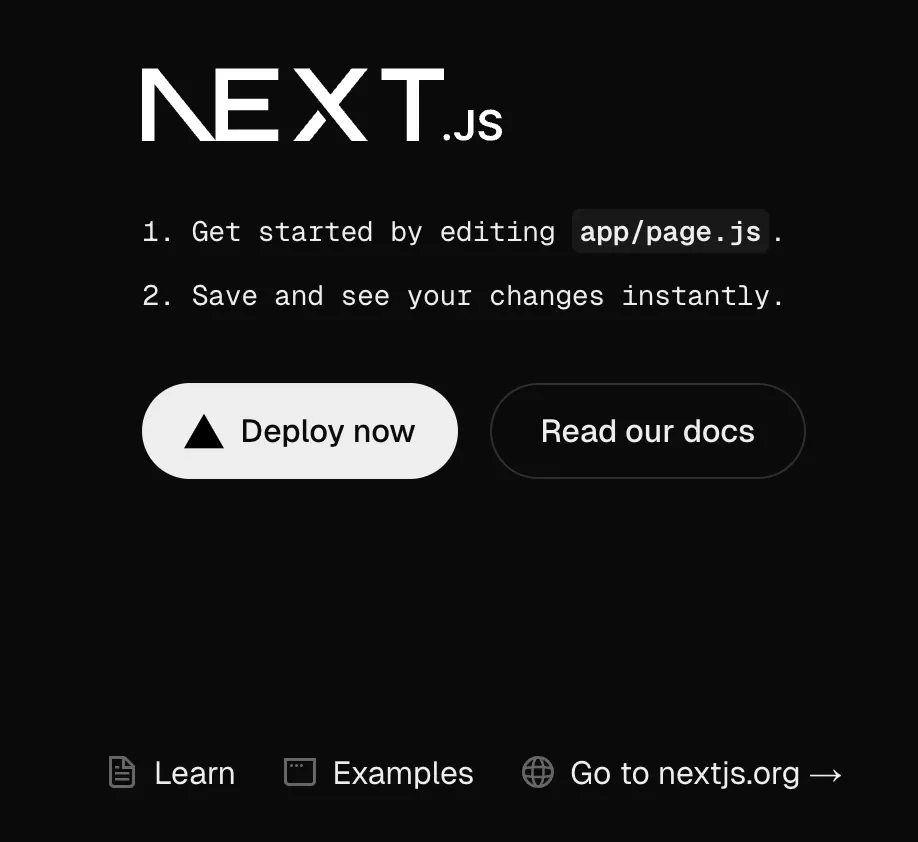
As soon as the first deployment is finished, check your new application using:

```bash title="Terminal" theme={null}
symfony upsun:environment:url --primary
```

You should end up on this page:

<img src="https://mintcdn.com/upsun-c9761871/OR9CPqO13fyi9LoK/images/posts/tutorials/sfcon2024-decouple-frontend/nextjs-empty-homepage.webp?fit=max&auto=format&n=OR9CPqO13fyi9LoK&q=85&s=d1ddb940edd867901d0ea702214bb253" alt="" width="918" height="842" data-path="images/posts/tutorials/sfcon2024-decouple-frontend/nextjs-empty-homepage.webp" />

## Decouple your application

Then, we will display the list of blogposts, fetched from Symfony routes, with links to each blogpost page.

### Add a relationship from `frontend` to `app`

As we don't want to expose our Symfony `app` API over HTTP, we will [define a relationship](https://docs.upsun.com/create-apps/multi-app/relationships.html#relationships-example) from `frontend` to `app`.

To define this relationship between applications, update your `.upsun/config.yaml` with the following:

```yaml title=".upsun/config.yaml" {6-9} theme={null}
applications:
  app:
    #...
  frontend:
    #...
    relationships:
      api:
        service: "app"
        endpoint: "http"
```

This will expose the `app` data in the `frontend` container, via an internal `api.internal` route (no more HTTP).
<Info>
  As mention in the [Configure your `frontend` application](#configure-your-frontend-application) section,
  when the Upsun internal process will create this relationship, `app` needs to already exist, and so, needs to be defined before the `frontend` application.
</Info>

### Update Next.js source code

We will now update our Next.js application to add 2 new components (`Posts` and `Post`), and do some design update to display the list of posts on the homepage and a single page for each post.

#### Create a Posts component

First, we need to create a new `Posts` component that will fetch data from the Symfony `<lang>/api/get-all-posts` route and pass it to our homepage.
To do so, create a new `frontend/app/components/posts.js` file with the following source code:

```javascript title="frontend/app/components/posts.js" theme={null}
import Link from "next/link";
const localhost="http://localhost:8000";
const locale = typeof navigator !== "undefined" ? navigator.language.split("-")[0] : "en";

export default async function Posts() {
    const backendUrl = ('API_HOST' in process.env) ? process.env.API_SCHEME + "://" + process.env.API_HOST : localhost;
    const res = await fetch(`${backendUrl}/${locale}/api/get-all-posts/`, {cache: "no-store"});

    if (!res.ok) {
        throw new Error(`Error while fetching posts: ${res.status}`);
    }

    const posts = await res.json();

    return (
        <div className="row">
            <div className="col-12">
                <div className={'post-title'}><h2>Posts</h2></div>
                <div className="divTable table table-striped table-dark table-borderless table-hover">
                    <div className="divTableHeading">
                        <div className="divTableRow bg-info">
                            <div className="divTableHead">Title</div>
                            <div className="divTableHead">Summary</div>
                            <div className="divTableHead">Published At</div>
                        </div>
                    </div>
                    {posts.map((post, index) => (
                        <div className="divTableRow" key={index}>
                            <Link href={`/post/${locale}/${post.id}`} className="divTableCell">{post.title}</Link>
                            <Link href={`/post/${locale}/${post.id}`} className="divTableCell">{post.summary}</Link>
                            <Link href={`/post/${locale}/${post.id}`} className="divTableCell">{post.publishedAt.date}</Link>
                        </div>
                    ))}
                </div>
            </div>
        </div>
    );
}
```

#### Update hompepage

Now, we want to display this `Posts` component on our homepage.
We will update the `fontend/app/page.js` file with the following source code:

```javascript title="fontend/app/page.js" theme={null}
import '@/app/page.css';
import Posts from "@/app/components/posts";

export default function Home() {
  return (
      <div className={'container'}>
          <nav className="navbar navbar-expand navbar-dark bg-dark ">
              <a className={"navbar-brand"} href="/"><img src="/logo/light.svg" width="150" className="d-inline-block align-top" alt="podium"/></a>
          </nav>
          <div className="row">
              <div className="col-12">
                  <div className={'post-title'}>
                      <h1>Welcome on our decoupled website</h1>
                  </div>
              </div>
          </div>
          <Posts />
      </div>
  );
}
```

#### Add styles

Please create a new `frontend/app/page.css` file with the following CSS:

```css title="frontend/app/page.css" theme={null}
@import "~bootstrap/dist/css/bootstrap.css";
html, body {max-width: 100vw;overflow-x: hidden;}
body {background-color: rgb(21, 32, 43);color: #fff;font-family: Arial, Helvetica, sans-serif;}
* {box-sizing: border-box;padding: 0;margin: 0;}
a {color: inherit;text-decoration: none;}
.table-dark.table-striped .divTableRow:nth-of-type(odd) {background-color: rgba(255, 255, 255, 0.05);}
.table-dark.table-hover .divTableRow:hover {background-color: rgba(255, 255, 255, 0.075);}
.postLink {cursor: pointer;}
.table-dark.table-hover .sightingLink.divTableRow:hover .divTableCell {text-decoration: underline;}
.post {display: grid;grid-auto-flow: column dense;gap: 2rem;margin-top: 2rem;place-content: flex-end center;place-items: flex-end center;height: 100%;font-family: sans-serif;text-align: center;}
.post {width: 100%;place-content: center;display: flex;}
.post span {font-size: 2rem;}
/* DivTable.com */
.divTable{display: table;width: 100%;}
.divTableRow {display: table-row;padding: 0.75rem;}
.divTableCell, .divTableHead {display: table-cell;padding: 3px 10px;}
.divTableHeading {display: table-header-group;font-weight: bold;}
.divTableFoot {background-color: #EEE;display: table-footer-group;font-weight: bold;}
.divTableBody {display: table-row-group;}
```

This will give some love to the homepage styling.

At this stage, your IDE should complain about the `@import "~bootstrap/dist/css/bootstrap.css";` import line at the beginning.
This is due to the missing `bootstrap` Node module in your `frontend` application.

To install `bootstrap` module, execute the following command line from the `frontend` folder:

```bash title="Terminal" theme={null}
cd frontend
npm install bootstrap
cd ..
```

#### Create a Post component

As we want to display each blogpost in a dedicated page, we need to create a new `Post` component that will fetch data from the Symfony `<lang>/api/get-post/{id}` route and pass it to the Post page.
To do so, create a new `frontend/app/components/post.js` file with the following source code:

```javascript title="frontend/app/components/post.js" theme={null}
const localhost="http://localhost:8000";

export default async function Post({ lang, id }) {
    const backendUrl = ('API_HOST' in process.env) ? process.env.API_SCHEME + "://" + process.env.API_HOST : localhost;;
    const res = await fetch(`${backendUrl}/${lang}/api/get-post/${id}`, {cache: "no-store"});

    if (!res.ok) {
        throw new Error(`Error while fetching posts: ${res.status}`);
    }

    let post = await res.json();

    return (
        <div className="row">
            <div className="col-12">
                <h1>{post[0].title}</h1>
                <p>{post[0].content}</p>
            </div>
        </div>
    );
}
```

#### Create a Post page

For Next.js to [handle dynamic routes](https://nextjs.org/docs/app/building-your-application/routing/dynamic-routes), we will create a single `page.js` file for all posts, handling the `lang` and `id` of the post.

To do so, we need a `frontend/app/post/[lang]/[id]/page.js` (keep the brackets for `[lang]` and `[id]`) file with the following source code:

```javascript title="frontend/app/post/[lang]/[id]/page.js" theme={null}
import '@/app/page.css';
import Post from "@/app/components/post";

export default async function PostPage({ params }) {
    const { lang, id } = await params
    return (
        <div className={'container'}>
            <nav className="navbar navbar-expand navbar-dark bg-dark ">
                <a className={"navbar-brand"} href="/">
                    <img src="/logo/light.svg" width="150" className="d-inline-block align-top" alt="podium"/>
                </a>
            </nav>
            <Post id={id} lang={lang} />
        </div>
    );
}
```

This will get the dynamic parameters `lang` and `id` from the url (ex: `/post/en/2`), pass it to our `Post` component and fetch corresponding post through Symfony route `<lang>/api/get-post/{id}`

### Test it

Let's test our final application locally.

#### Start your Symfony application

For more convenience, we will start the Symfony application server locally by executing following command lines:

```bash title="Terminal" theme={null}
cd backend
symfony composer install
symfony server:start -d 
cd ..
```

#### Start your Next.js application

```bash title="Terminal" theme={null}
cd frontend
npm run dev
```

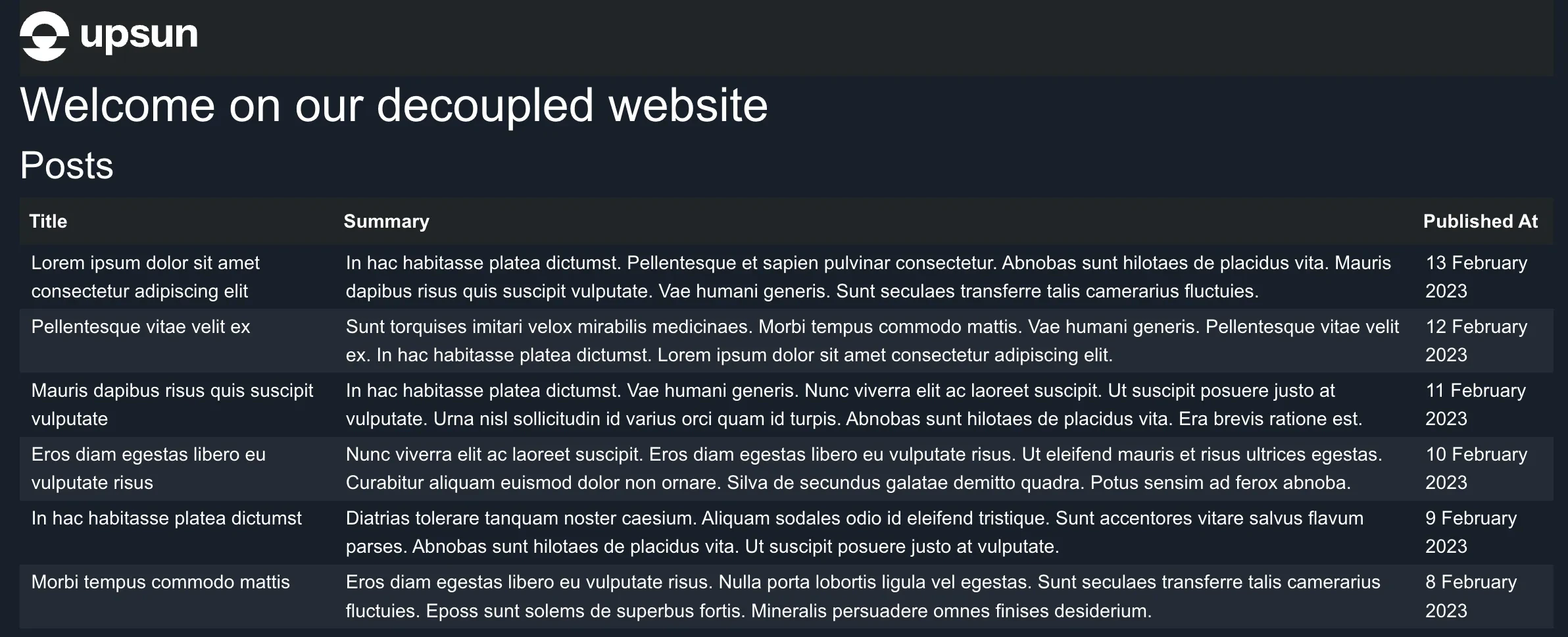
Then open [http://localhost:3000](http://localhost:3000) in your browser,
and you should see the following result:

<img src="https://mintcdn.com/upsun-c9761871/OR9CPqO13fyi9LoK/images/posts/tutorials/sfcon2024-decouple-frontend/final-decouple-frontend.webp?fit=max&auto=format&n=OR9CPqO13fyi9LoK&q=85&s=634bfcca1e85e06c8c49fb686b010d22" alt="" width="2384" height="968" data-path="images/posts/tutorials/sfcon2024-decouple-frontend/final-decouple-frontend.webp" />

### Turn on Next.js production mode

As our homepage is displaying the list of blogposts, and we can navigate to read a blogpost, we can now switch Next.js to production mode.

Update your `.upsun/config.yaml` and add the following [environment variable configuration](https://docs.upsun.com/create-apps/app-reference/single-runtime-image.html#variables):

```yaml title=".upsun/config.yaml" {6-8} theme={null}
applications:
  app: 
    #...
  frontend:
    #...
    variables:
      env:
        NODE_ENV: production
```

### Deploy

Let's deploy our last updates by using the following:

```bash title="Terminal" theme={null}
git add frontend .upsun/config.yaml && git commit -m "Update homepage + add post page + production mode"
symfony push
symfony upsun:environment:url --primary 
```

You should also see the following result from your preview environment:

<img src="https://mintcdn.com/upsun-c9761871/OR9CPqO13fyi9LoK/images/posts/tutorials/sfcon2024-decouple-frontend/final-decouple-frontend.webp?fit=max&auto=format&n=OR9CPqO13fyi9LoK&q=85&s=634bfcca1e85e06c8c49fb686b010d22" alt="" width="2384" height="968" data-path="images/posts/tutorials/sfcon2024-decouple-frontend/final-decouple-frontend.webp" />

Et voilà, we are done!
Our application is now using Next.js to display Symfony blogposts.

## Deploy to production

After checking that the`decouple-frontend` interface is looking great and meets your needs, you can [merge](https://docs.upsun.com/glossary.html#merge) `decouple-frontend` branch to  the`main` branch, using the following command lines from the root of your project:

```bash title="Terminal" theme={null}
symfony merge
symfony checkout main
git pull upsun main
symfony upsun:environment:delete decouple-frontend
git fetch --prune
```

This will merge the `decouple-frontend` source code into the `main` branch and deploy it to production, and then delete `decouple-frontend` environment and corresponding Git branch.

Et voilà, your application has been decoupled in less than few minutes.

## Conclusion

By decoupling the frontend from the backend, you embrace a modern and modular architectural approach that offers greater flexibility in both development and deployment.
This separation allows each team to focus on their area of expertise while ensuring seamless integration through robust APIs.

In this tutorial, we explored how to set up a solution that leverages technologies like Symfony for the backend and Next.js for the frontend, all orchestrated on a platform like Upsun.
This approach provides optimized performance, improved scalability, and a faster development cycle.

Beyond the technical aspects, this methodology enhances the ability to adapt to market changes and user demands.
By separating responsibilities, you gain agility, security, and better maintainability for your applications.

Adopting a decoupled architecture is an investment in a strategy that promotes continuous innovation and the creation of high-quality user experiences.

## We would love your feedback!

Try it today and experience the difference!

👉 [Explore the Docs](https://docs.upsun.com)<br />
👉 [Need Help? Contact Support](https://platformsh.zendesk.com/)<br />
👉 Join the Discussion:<br />
  👉 [DEV.to](https://dev.to/upsun)<br />
  👉 [Reddit](https://www.reddit.com/r/upsun/)<br />
  👉 [Community Forum](https://community.upsun.com/)

We’d love to hear how this tutorial improves your experience of our product!<br />

## Final source code result

If you check the final source code of this tutorial, please refer to this [GitHub repository `examples/demo-decouple-frontend` folder](https://github.com/upsun/snippets/tree/main/examples/demo-decouple-frontend).

***