> ## Documentation Index
> Fetch the complete documentation index at: https://developer.upsun.com/llms.txt
> Use this file to discover all available pages before exploring further.

# Building async processing pipelines with FastAPI and Celery on Upsun

> Learn how to build production-ready async processing pipelines using FastAPI and Celery on Upsun. From architecture design to deployment, discover how to handle long-running tasks without blocking your API responses.

export const PostMeta = ({data = {}}) => {
  const {author, date, image} = data;
  const authors = Array.isArray(author) ? author : author ? [author] : [];
  const resolveAuthor = slug => {
    const entry = AUTHOR_MAP[slug] || ({});
    const name = entry.name || slug;
    const github = entry.github || null;
    const linkedin = entry.linkedin || null;
    const url = github ? `https://github.com/${github}` : linkedin || null;
    const avatarUrl = github ? `https://github.com/${github}.png?size=64` : null;
    return {
      name,
      url,
      avatarUrl
    };
  };
  const formattedDate = date ? new Date(date).toLocaleDateString('en-US', {
    year: 'numeric',
    month: 'long',
    day: 'numeric'
  }) : null;
  if (!image && authors.length === 0 && !formattedDate) return null;
  const AUTHOR_MAP = {
    "aaron-collier": {
      "name": "Aaron Collier"
    },
    "aaron-dudenhofer": {
      "name": "Aaron Dudenhofer"
    },
    "aaron-porter": {
      "name": "Aaron Porter"
    },
    "adriaan-odendaal": {
      "name": "Adriaan Odendaal"
    },
    "ajmal": {
      "name": "Ajmal Siddiqui"
    },
    "akalipetis": {
      "name": "Antonis Kalipetis"
    },
    "alexander-varwijk": {
      "name": "Alexander Varwijk"
    },
    "alicia-bevilacqua": {
      "name": "Alicia Bevilacqua"
    },
    "amelie-deguerry": {
      "name": "Amelie Deguerry"
    },
    "anacidre": {
      "name": "Ana Cidre",
      "linkedin": "https://www.linkedin.com/in/ana-cidre"
    },
    "andoni": {
      "name": "Andoni Auzmendi"
    },
    "andrei-taranu": {
      "name": "Andrei (Alex) Taranu",
      "linkedin": "https://www.linkedin.com/in/andrei-alex-taranu/"
    },
    "andrew-baxter": {
      "name": "Andrew Baxter"
    },
    "andrew-melck": {
      "name": "Andrew Melck"
    },
    "antoine-crochet-damais": {
      "name": "Antoine Crochet Damais"
    },
    "augustin-delaporte": {
      "name": "Augustin Delaporte",
      "linkedin": "https://www.linkedin.com/in/augustindelaporte/"
    },
    "branislav-bujisic": {
      "name": "Branislav Bujisic"
    },
    "carl-smith": {
      "name": "Carl Smith"
    },
    "caroline-leroy": {
      "name": "Caroline Leroy"
    },
    "cati-mayer": {
      "name": "Cati Mayer"
    },
    "catplat": {
      "name": "C Trinkwon"
    },
    "ceelolulu": {
      "name": "Celeste van der Watt"
    },
    "chadwcarlson": {
      "name": "Chad Carlson",
      "github": "chadwcarlson",
      "linkedin": "https://www.linkedin.com/in/chadwcarlson"
    },
    "chris-ward": {
      "name": "Chris Ward"
    },
    "chris-yates": {
      "name": "Chris Yates"
    },
    "christian-sieber": {
      "name": "Christian Sieber"
    },
    "christopher-lockheardt": {
      "name": "Christopher Lockheardt"
    },
    "christopher-skene": {
      "name": "Christopher Skene"
    },
    "chuck-morgan": {
      "name": "Chuck Morgan"
    },
    "corey-dockendorf": {
      "name": "Corey Dockendorf"
    },
    "crell": {
      "name": "Crell"
    },
    "damz": {
      "name": "Damz"
    },
    "dan-morrison": {
      "name": "Dan Morrison"
    },
    "davidbonachera": {
      "name": "David Bonachera",
      "github": "davidbonachera",
      "linkedin": "https://www.linkedin.com/in/davidbonachera"
    },
    "dereliahmet1": {
      "name": "Ahmet Faruk Dereli"
    },
    "devicezero": {
      "name": "Jonas Kröger",
      "github": "devicezero",
      "linkedin": "https://www.linkedin.com/in/jonaskroeger/"
    },
    "doug-goldberg": {
      "name": "Doug Goldberg"
    },
    "duncan-naves": {
      "name": "Duncan Naves",
      "github": "duncannaves",
      "linkedin": "https://www.linkedin.com/in/duncan-naves-a94423aa"
    },
    "erika-bustamante": {
      "name": "Erika Bustamante"
    },
    "fabpot": {
      "name": "Fabien Potencier"
    },
    "flovntp": {
      "name": "Florent Huck",
      "github": "flovntp",
      "linkedin": "https://www.linkedin.com/in/florenthuck"
    },
    "fred-plais": {
      "name": "Fred Plais"
    },
    "gauthier-garnier": {
      "name": "Gauthier Garnier"
    },
    "gilzow": {
      "name": "Paul Gilzow"
    },
    "gmoigneu": {
      "name": "Guillaume Moigneu",
      "github": "gmoigneu",
      "linkedin": "https://www.linkedin.com/in/guillaumemoigneu/"
    },
    "gregqualls": {
      "name": "Greg Qualls"
    },
    "guguss": {
      "name": "Augustin Delaporte"
    },
    "haylee-millar": {
      "name": "Haylee Millar"
    },
    "ivana-kotur": {
      "name": "Ivana Kotur"
    },
    "jackrabbithanna": {
      "name": "Mark Hanna"
    },
    "jared-wright": {
      "name": "Jared Wright",
      "github": "jww-sh",
      "linkedin": "https://www.linkedin.com/in/jaredwaynewright"
    },
    "jessica-orozco": {
      "name": "Jessica Orozco"
    },
    "joey-stanford": {
      "name": "Joey Stanford"
    },
    "john-grubb": {
      "name": "John Grubb"
    },
    "jonas-kruger": {
      "name": "Jonas Kruger"
    },
    "kathryn-frazer": {
      "name": "Kathryn Frazer"
    },
    "kemiojo": {
      "name": "Kemi Elizabeth Ojogbede"
    },
    "kieronsambrook-smith": {
      "name": "Kieronsambrook Smith"
    },
    "laurent-arnoud": {
      "name": "Laurent Arnoud"
    },
    "letoya-boyne": {
      "name": "Letoya Boyne"
    },
    "lolautruche": {
      "name": "Jérôme Vieilledent"
    },
    "lyly-lepinay": {
      "name": "Lyly Lepinay"
    },
    "manauwar-alam": {
      "name": "Manauwar Alam"
    },
    "marc-antoine-porri": {
      "name": "Marc Antoine Porri"
    },
    "maria-antinkaapo": {
      "name": "Maria Antinkaapo"
    },
    "maria-de-anton": {
      "name": "Maria De Anton"
    },
    "mark-dorison": {
      "name": "Mark Dorison"
    },
    "markus-hausammann": {
      "name": "Markus Hausammann"
    },
    "mary-thomas": {
      "name": "Mary Thomas"
    },
    "mathias-bolt-lesniak": {
      "name": "Mathias Bolt Lesniak"
    },
    "mathieu-strauch": {
      "name": "Mathieu Strauch"
    },
    "matthias-van-woensel": {
      "name": "Matthias Van Woensel",
      "linkedin": "https://www.linkedin.com/in/matthias-van-woensel-267a069"
    },
    "michael-sharp": {
      "name": "Michael Sharp"
    },
    "mupsi": {
      "name": "Marine Gandy"
    },
    "natalie-harper": {
      "name": "Natalie Harper"
    },
    "ngommenginger": {
      "name": "Nicolas Gommenginger",
      "linkedin": "https://www.linkedin.com/in/nicolas-gommenginger"
    },
    "nicholas-bennison": {
      "name": "Nicholas Bennison"
    },
    "nicholas-vahalik": {
      "name": "Nicholas Vahalik"
    },
    "nick-hardiman": {
      "name": "Nick Hardiman"
    },
    "nickanderegg": {
      "name": "Nickanderegg"
    },
    "nicolas-grekas": {
      "name": "Nicolas Grekas",
      "github": "nicolas-grekas",
      "linkedin": "https://www.linkedin.com/in/nicolasgrekas/"
    },
    "niti-malwade": {
      "name": "Niti Malwade"
    },
    "opensocialteam": {
      "name": "Opensocialteam"
    },
    "ori-pekelman": {
      "name": "Ori Pekelman"
    },
    "otavio-santana": {
      "name": "Otavio Santana"
    },
    "palwandi": {
      "name": "Pawan Alwandi",
      "github": "pawpy",
      "linkedin": "https://www.linkedin.com/in/pawanalwandi"
    },
    "patrick-boest": {
      "name": "Patrick Boest"
    },
    "patrick-dawkins": {
      "name": "Patrick Dawkins",
      "github": "pjcdawkins",
      "linkedin": "https://www.linkedin.com/in/patrickdawkins"
    },
    "patrick-klima": {
      "name": "Patrick Klima"
    },
    "pjcdawkins": {
      "name": "Pjcdawkins"
    },
    "prineet-kaurbhurji": {
      "name": "Prineet Kaurbhurji"
    },
    "quentin-sinig": {
      "name": "Quentin Sinig"
    },
    "ralt": {
      "name": "Florian Margaine",
      "github": "ralt",
      "linkedin": "https://www.linkedin.com/in/florian-margaine-43971136"
    },
    "ramanathanramakrishnamurthy": {
      "name": "Ramanathanramakrishnamurthy"
    },
    "remi-lejeune": {
      "name": "Rémi Lejeune"
    },
    "ribel": {
      "name": "Taras Kruts"
    },
    "robert-douglass": {
      "name": "Robert Douglass"
    },
    "rudy-weber": {
      "name": "Rudy Weber"
    },
    "ryan-hicks": {
      "name": "Ryan Hicks"
    },
    "sabri-helal": {
      "name": "Sabri Helal"
    },
    "savannah-bergeron": {
      "name": "Savannah Bergeron"
    },
    "shannon-vettes": {
      "name": "Shannon Vettes"
    },
    "shawn-ogasawara": {
      "name": "Shawn Ogasawara",
      "linkedin": "https://www.linkedin.com/in/shawn-ogasawara-83a9a0/"
    },
    "shawna-spoor": {
      "name": "Shawna Spoor"
    },
    "shedrack-akintayo": {
      "name": "Shedrack Akintayo"
    },
    "simon-ruggier": {
      "name": "Simon Ruggier"
    },
    "sophie-van-der-kindere": {
      "name": "Sophie Van Der Kindere"
    },
    "stefanos-thampis": {
      "name": "Stefanos Thampis"
    },
    "stephen-weinberg": {
      "name": "Stephen Weinberg"
    },
    "sukhman-virk": {
      "name": "Sukhman Virk"
    },
    "sumaira-nazir": {
      "name": "Sumaira Nazir"
    },
    "sumer": {
      "name": "Sümer Cip"
    },
    "syed-raza": {
      "name": "Syed Raza"
    },
    "tamara-bacchia": {
      "name": "Tamara Bacchia"
    },
    "tara-arnold": {
      "name": "Tara Arnold"
    },
    "theosakamg": {
      "name": "Mickael Gaillard",
      "github": "theosakamg"
    },
    "thomasdiluccio": {
      "name": "Thomas di Luccio"
    },
    "tim-anderson": {
      "name": "Tim Anderson"
    },
    "tom-helmer-hansen": {
      "name": "Tom Helmer Hansen"
    },
    "tylermills": {
      "name": "Tyler Mills"
    },
    "upsun": {
      "name": "Upsun"
    },
    "veronika-tolkachova": {
      "name": "Veronika Tolkachova",
      "linkedin": "https://www.linkedin.com/in/veronika-tolkachova-169167a2"
    },
    "vince-parker": {
      "name": "Vince Parker"
    },
    "vinnie-russo": {
      "name": "Vincenzo Russo"
    },
    "vrobert78": {
      "name": "Vincent Robert",
      "github": "vrobert78",
      "linkedin": "https://www.linkedin.com/in/vincent-robert-498a883"
    },
    "yuriy-babenko": {
      "name": "Yuriy Babenko"
    },
    "yuriy-gerasimov": {
      "name": "Yuriy Gerasimov"
    }
  };
  return <div className="post-meta">
      {(authors.length > 0 || formattedDate) && <div className="post-meta-info">
          {authors.length > 0 && <div className="post-meta-authors">
              {authors.map(slug => {
    const {name, url, avatarUrl} = resolveAuthor(slug);
    const inner = <>
                    {avatarUrl && <img src={avatarUrl} alt={name} className="post-meta-avatar" />}
                    <span className="post-meta-author-name">{name}</span>
                  </>;
    return url ? <a key={slug} href={url} target="_blank" rel="noopener noreferrer" className="post-meta-author">
                    {inner}
                  </a> : <span key={slug} className="post-meta-author">{inner}</span>;
  })}
            </div>}
          {authors.length > 0 && formattedDate && <span className="post-meta-separator" aria-hidden="true">·</span>}
          {formattedDate && <span className="post-meta-date">{formattedDate}</span>}
        </div>}
      {image && <img src={image} alt="" className="post-meta-image" aria-hidden="true" />}
    </div>;
};

<PostMeta data={{ author: ["gmoigneu"], date: "2025-10-03T00:00:00+00:00", image: "/images/posts/tutorials/building-async-processing-pipelines-with-fastapi-and-celery-on-upsun/building-async-processing-pipelines-with-fastapi-and-celery-on-upsun.webp" }} />

## When long-running tasks break your user experience

A user uploads an image to your app, clicks "Generate AI description," and waits. And waits. Your API is busy processing the image through an external model, taking 15 seconds to respond. During those 15 seconds, your user sees a loading spinner, your server thread is blocked, and your application can't handle other requests efficiently.

This scenario plays out across countless use-cases with different variations:

* **PDF generation**: Converting complex reports or documents
* **Email campaigns**: Sending thousands of personalized emails
* **Image processing**: Resizing, filtering, or AI analysis of uploaded media
* **Data analysis**: Processing large datasets or generating reports
* **Web scraping**: Extracting content from external websites
* **File conversion**: Transforming between different formats

Each of these tasks shares a common problem: they take too long to complete within a typical HTTP request-response cycle. Users expect web applications to respond within a single second, but these operations often require 10 seconds or more.

The traditional approach of handling these tasks synchronously creates a cascade of problems:

* **Poor user experience**: Long loading times frustrate users and increase bounce rates
* **Resource waste**: Server threads remain blocked, reducing overall throughput
* **Timeout failures**: Web servers and load balancers often timeout long-running requests
* **Scaling bottlenecks**: Limited concurrent request capacity under heavy loads

The solution lies in **asynchronous task processing** – separating long-running operations from your app responses. Your application can immediately return a task ID while the actual work happens in the background, allowing users to continue using your application without interruption.

## Why Celery delivers production-ready async processing

When you need reliable background task processing in Python, you have several options. You could use built-in `asyncio` for simple cases, try newer solutions like `arq` or `RQ`, or reach for the battle-tested `Celery`. Here's why Celery stands out for production applications:

**Proven reliability at scale**: Celery has powered background tasks for companies like Instagram, Mozilla, and countless startups for over a decade. It handles billions of tasks monthly across production environments, with robust error handling and recovery mechanisms built-in.

**Comprehensive monitoring**: Unlike simpler alternatives, Celery provides detailed introspection into your task queues. You can monitor active tasks, inspect worker status, track success rates, and identify bottlenecks, all crucial for production operations.

**Flexible routing and prioritization**: Celery supports multiple queues, task routing based on content, and priority levels. Need urgent email notifications to process faster than bulk data exports? Celery handles this elegantly through its routing system.

**Horizontal scaling**: Adding more workers is as simple as starting new processes. Celery automatically distributes tasks across available workers, making it straightforward to scale your processing capacity as demand grows.

**Production-grade features**: Built-in support for task retries with exponential backoff, result persistence, task timeouts, progress tracking, and integration with monitoring tools like Prometheus make Celery suitable for mission-critical applications.

The combination of FastAPI and Celery creates a powerful async processing architecture. FastAPI handles your web requests with excellent performance and automatic API documentation, while Celery manages background tasks with enterprise-grade reliability. This pairing has become the Python standard for building scalable web applications that need background processing.

## Architecting a multi-service async processing pipeline

Building a production-ready async processing system requires more than just FastAPI and Celery. You need a thoughtfully designed architecture that handles the complexities of distributed task processing.

Here's how the components work together:

### System architecture overview

Our pipeline consists of five key components, each with a specific responsibility:

```mermaid theme={null}
graph TB
    API["FastAPI<br/>(API)"]
    REDIS["Redis<br/>(Message Broker)"]
    WORKERS["Celery<br/>Workers"]
    STORAGE["Shared<br/>Storage"]
    FLOWER["Flower<br/>(Monitoring)"]
    
    API --- REDIS
    WORKERS --- REDIS
    API --- STORAGE
    WORKERS --- STORAGE
    WORKERS --- FLOWER
    
    classDef api fill:#D0F302,stroke:#000,stroke-width:2px,color:#000
    classDef redis fill:#6046FF,stroke:#000,stroke-width:2px,color:#fff
    classDef workers fill:#D0F302,stroke:#000,stroke-width:2px,color:#000
    classDef storage fill:#6046FF,stroke:#000,stroke-width:2px,color:#fff
    classDef flower fill:#D0F302,stroke:#000,stroke-width:2px,color:#000
    
    class API api
    class REDIS redis
    class WORKERS workers
    class STORAGE storage
    class FLOWER flower
```

**FastAPI application** serves as your main web API, handling HTTP requests and responses. It validates incoming requests, queues tasks with Celery, and provides endpoints to check task status and retrieve results.

**Redis** functions as the message broker, managing the task queue between FastAPI and Celery workers. It stores task metadata, handles message delivery, and provides fast result caching.

**Celery workers** execute the actual background tasks. They pull tasks from Redis, process them (web scraping, AI analysis, etc.), and store results. Workers can run on separate machines for horizontal scaling.

**Shared storage** ensures result persistence across containers. Since workers and the API run in different containers on Upsun, they need a common location to store and retrieve task results. This could also a database or an external repository.

**Flower dashboard** provides real-time monitoring of your task queue system. You can view active tasks, worker status, task history, and performance metrics through its web interface.

<Note>
  **Follow along with the complete example**: All the code snippets in this tutorial are available in the [tutorial-fastapi-celery repository](https://github.com/upsun/tutorial-fastapi-celery) on GitHub. You can clone it, deploy it to Upsun, and explore the full implementation details.
</Note>

### FastAPI as the API gateway

The FastAPI application acts as the entry point for all task processing requests. Here's the core async workflow pattern:

```python {filename="api/main.py"} theme={null}
from fastapi import FastAPI
from celery import Celery
from pydantic import BaseModel

app = FastAPI(title="Async Processing API")

# Configure Celery connection
celery_app = Celery("tasks", broker=redis_url, backend=redis_url)

class TaskRequest(BaseModel):
    url: str

@app.post("/tasks/web/summarize")
async def create_task(request: TaskRequest):
    # Queue task with Celery
    task = celery_app.send_task(
        "tasks.web_summarize",
        args=[request.url]
    )
    
    return {
        "task_id": task.id,
        "status": "queued"
    }

@app.get("/tasks/{task_id}/status")
async def get_task_status(task_id: str):
    task_result = celery_app.AsyncResult(task_id)
    return {
        "task_id": task_id,
        "status": task_result.state.lower(),
        "result": task_result.result if task_result.ready() else None
    }
```

[**View complete FastAPI implementation →**](https://github.com/upsun/tutorial-fastapi-celery/blob/main/api/main.py)

The API immediately returns a task ID when work is queued, allowing clients to poll for results without blocking. This pattern works well for web applications, mobile apps, and API integrations.

### Celery workers for background processing

Celery workers handle the heavy lifting of task execution. They're designed to be stateless and scalable:

```python {filename="worker/tasks.py"} theme={null}
from celery import Celery
import time

app = Celery("tasks", broker=redis_url, backend=redis_url)

@app.task(bind=True, name='tasks.web_summarize')
def web_summarize(self, url: str):
    """Web scraping and summarization with progress tracking"""
    
    # Update progress
    self.update_state(
        state='PROGRESS',
        meta={'current': 1, 'total': 4, 'status': 'Fetching content...'}
    )
    
    # Scrape and process content
    content = scrape_website(url)
    
    self.update_state(
        state='PROGRESS',
        meta={'current': 3, 'total': 4, 'status': 'Generating summary...'}
    )
    
    summary = generate_ai_summary(content)
    
    return {
        "url": url,
        "summary": summary,
        "processed_at": time.time()
    }
```

[**View complete worker implementation →**](https://github.com/upsun/tutorial-fastapi-celery/blob/main/worker/tasks.py)

Workers can run multiple concurrent tasks and automatically retry failed operations. The progress tracking keeps users informed about long-running operations.

This architecture separates concerns cleanly: FastAPI handles web requests, Celery manages task execution, Redis coordinates communication, and shared storage ensures data persistence across containers. Each component can scale independently based on your application's needs.

## Deploying multi-app architecture on Upsun

Upsun's multi-app deployment model is perfect for async processing pipelines. Instead of cramming everything into a single container, you can deploy each service independently with appropriate resource allocation and scaling settings. Here's how to configure the entire pipeline:

### Understanding Upsun's multi-app approach

Traditional Cloud Application Platforms often force you to deploy monolithic applications. Upsun takes a different approach, allowing you to define multiple applications within a single project, each with its own:

* **Resource allocation**: Different CPU and memory limits per service
* **Scaling behavior**: Independent scaling based on usage patterns
* **Dependencies**: Service-specific package requirements
* **Runtime configuration**: Environment variables and startup commands tailored to each role

This approach is ideal for async processing because your API, workers, and monitoring tools have different resource needs and scaling patterns.

### Deep dive into .upsun/config.yaml configuration

<Note>Keep in mind that the final `.upsun/config.yaml` is a combination of all the snippets below.</Note>

The heart of your Upsun deployment is the configuration file. Here's the multi-app setup:

```yaml {filename=".upsun/config.yaml"} theme={null}
applications:
  # FastAPI web application
  api:
    source:
      root: api
    type: python:3.13
    dependencies:
      python3:
        uv: "*"
    hooks:
      build: |
        uv sync --frozen
    web:
      commands:
        start: "uv run uvicorn main:app --host 0.0.0.0 --port $PORT"
    variables:
      env:
        REDIS_URL: "redis://redis.internal:6379/0"
    relationships: 
      redis: "redis:redis"
```

[**View complete configuration →**](https://github.com/upsun/tutorial-fastapi-celery/blob/main/.upsun/config.yaml)

The configuration defines three applications (API, worker, monitoring) and two services (Redis, storage). Each application runs in its own container with appropriate resource allocation and environment variables for seamless inter-service communication.

### Shared services and routing

The configuration also includes Redis for message brokering and routing rules that expose your API and monitoring dashboard externally. The complete setup handles internal networking, service discovery, and external access automatically.

## Critical implementation patterns for production reliability

Building async processing pipelines that work reliably in production requires attention to several key patterns. These patterns prevent common failure modes and ensure your system can handle real-world challenges gracefully.

### Structured error handling across services

Error handling in distributed systems is complex because failures can occur in multiple places: the API, message broker, workers, or external services. The implementation uses a shared error handling system:

```python {filename="shared/exceptions.py"} theme={null}
class BaseApplicationError(Exception):
    """Base exception for all application errors"""
    
    def __init__(self, message: str, error_code: str, details: dict = None):
        self.message = message
        self.error_code = error_code
        self.details = details or {}
        self.timestamp = time.time()
        super().__init__(self.message)
```

**Centralized FastAPI error handling** with proper HTTP status codes and worker retry logic with exponential backoff ensure consistent error responses across all services.

[**View complete error handling →**](https://github.com/upsun/tutorial-fastapi-celery/blob/main/shared/exceptions.py)

### Task progress tracking and timeout management

Long-running tasks need progress tracking and timeout management. The implementation provides:

```python {filename="worker/tasks.py"} theme={null}
@app.task(bind=True)
def web_summarize(self, url: str):
    # Update progress during processing
    self.update_state(
        state='PROGRESS',
        meta={
            'current': 2,
            'total': 4,
            'status': 'Processing content...',
            'progress_percent': 50
        }
    )
    # ... processing logic
```

**Timeout configuration** prevents runaway processes with hard and soft timeout limits, plus automatic task requeueing if workers crash.

[**View complete progress tracking →**](https://github.com/upsun/tutorial-fastapi-celery/blob/main/worker/tasks.py)

### Cross-container result persistence strategies

In a multi-app architecture, task results must be accessible from both worker containers and API containers. The implementation uses a shared storage system:

```python {filename="worker/web_scraper.py"} theme={null}
def save_result(self, task_id: str, result_data: Dict[str, Any]) -> None:
  """Save processing result to shared storage"""
  try:
      # Ensure results directory exists
      os.makedirs(self.results_path, exist_ok=True)
      
      result_file = os.path.join(self.results_path, f"{task_id}.json")
      
      with open(result_file, 'w', encoding='utf-8') as f:
          json.dump(result_data, f, ensure_ascii=False, indent=2)
      
      # Update index
      self.update_results_index(task_id, result_data)
      
      logger.info("Result saved", task_id=task_id, file=result_file)
      
  except Exception as e:
      logger.error("Failed to save result", task_id=task_id, error=str(e))
```

The storage system provides **atomic writes**, **error handling**, and **cleanup mechanisms** to maintain data consistency across containers.

For this to work, we rely on the Upsun [Network Storage service](https://docs.upsun.com/add-services/network-storage.html):

```yaml {filename=".upsun/config.yaml"} theme={null}
applications:
  api:
    [...]
    mounts:
      'data':
        source: service
        service: storage
  worker:
    [...]
    mounts:
      'data':
        source: service
        service: storage
services:
  storage:
    type: network-storage:1.0
```

[**View complete storage implementation →**](https://github.com/upsun/tutorial-fastapi-celery/blob/main/worker/web_scraper.py)

### Configuration management and environment isolation

Managing configuration across multiple services requires careful attention to security and maintainability. The implementation uses Pydantic settings for type-safe configuration:

```python {filename="shared/config.py"} theme={null}
from pydantic_settings import BaseSettings

class BaseConfig(BaseSettings):
    """Base configuration with common settings"""
    environment: str = "development"
    redis_url: str = "redis://localhost:6379/0"
    openai_api_key: Optional[str] = None
    
    @property
    def is_production(self) -> bool:
        return self.environment == "production"
```

The configuration system provides **type safety**, **validation**, and **clear separation** between environment-specific and application-specific settings.

[**View complete configuration →**](https://github.com/upsun/tutorial-fastapi-celery/blob/main/shared/config.py)

## Testing your deployed application

Once your async processing pipeline is deployed on Upsun, you can test all the endpoints using curl commands. Here are practical examples using a production deployment:

### Creating background jobs

Test the web scraping and summarization endpoint with a real URL:

```bash theme={null}
curl -X POST \
  "https://api.[...].platformsh.site/tasks/web/summarize" \
  -H "Content-Type: application/json" \
  -d '{"url": "https://upsun.com"}'
```

This creates a web scraping and summarization job for upsun.com. The response includes a task ID that you'll use to track the job progress:

```json theme={null}
{
  "task_id": "a1b2c3d4-5e6f-7g8h-9i0j-k1l2m3n4o5p6",
  "status": "queued", 
  "message": "Task queued successfully"
}
```

### Checking job status

Monitor your task progress using the task ID from the previous response:

```bash theme={null}
curl "https://api.[...].platformsh.site/tasks/{task_id}/status"
```

Replace `{task_id}` with the actual task ID returned from the job creation request. The response shows the current task state:

```json theme={null}
{
  "task_id": "a1b2c3d4-5e6f-7g8h-9i0j-k1l2m3n4o5p6",
  "status": "progress",
  "result": {
    "current": 2,
    "total": 4,
    "status": "Processing content...",
    "progress_percent": 50
  }
}
```

### Retrieving completed results

Once the status shows "completed", fetch the detailed results:

```bash theme={null}
curl "https://api.[...].platformsh.site/tasks/{task_id}/result"
```

This returns the full processing results, including scraped content, analysis, and any generated summaries.

### Testing different processing types

You can also test with different processing parameters:

```bash theme={null}
# Quick processing mode
curl -X POST \
  "https://api.[...].platformsh.site/tasks/web/summarize" \
  -H "Content-Type: application/json" \
  -d '{"url": "https://docs.upsun.com", "processing_type": "quick"}'

# Detailed analysis mode
curl -X POST \
  "https://api.[...].platformsh.site/tasks/web/analyze" \
  -H "Content-Type: application/json" \
  -d '{"url": "https://github.com/platformsh", "processing_type": "detailed"}'
```

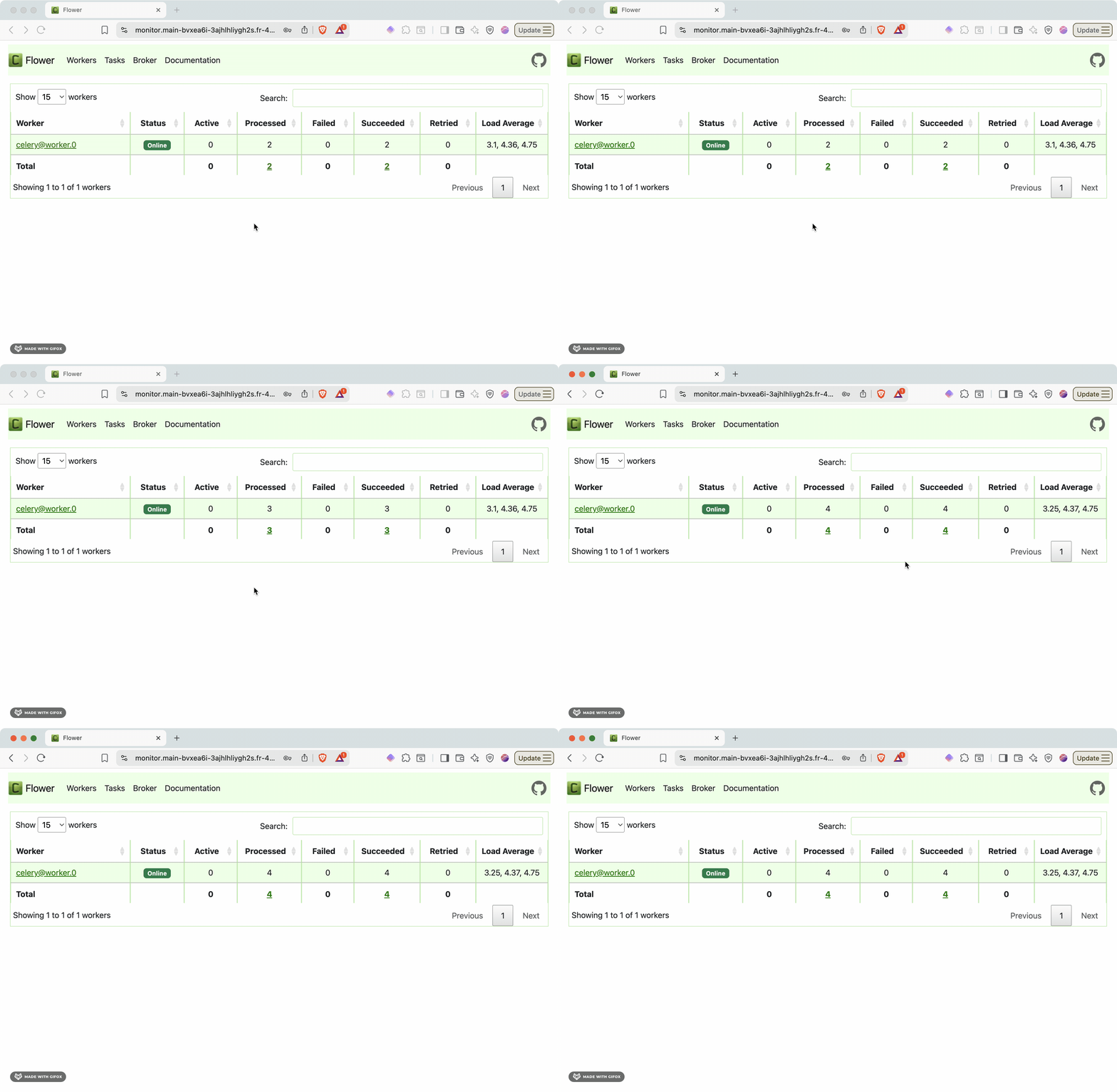
### Monitoring with Flower dashboard

Access the Flower monitoring interface to visualize your task queue in real-time:

```
https://monitor.[...].platformsh.site/
```

<img src="https://mintcdn.com/upsun-c9761871/OR9CPqO13fyi9LoK/images/posts/tutorials/building-async-processing-pipelines-with-fastapi-and-celery-on-upsun/flower-dashboard.gif?s=cf8a42436135fb57fc2216a57e5465ff" alt="Flower monitoring dashboard showing active tasks, worker status, and processing statistics" width="2230" height="1456" data-path="images/posts/tutorials/building-async-processing-pipelines-with-fastapi-and-celery-on-upsun/flower-dashboard.gif" />

The Flower dashboard provides:

* **Active tasks**: Currently running background jobs
* **Worker status**: Health and performance of Celery workers
* **Task history**: Completed, failed, and retried tasks
* **Queue depth**: Number of pending tasks waiting for processing
* **Performance metrics**: Task throughput, execution times, and success rates

This monitoring capability is essential for production operations, helping you identify bottlenecks, monitor system health, and debug task processing issues.

## Taking your async pipeline to production

### Performance improvements achieved

The async processing approach delivers significant performance gains:

**Response time improvements**: API endpoints respond in milliseconds instead of seconds. Tasks that previously blocked requests for 10-15 seconds now return immediately with a task ID, allowing users to continue using your application.

**Throughput scaling**: With background processing, your API can handle hundreds of concurrent requests while tasks process independently. This separation of concerns prevents processing bottlenecks from affecting user-facing operations.

**Resource efficiency**: Celery workers can run with different CPU and memory allocations than your web processes, optimizing resource utilization. You can scale workers independently based on queue depth rather than web traffic.

**Reliability through isolation**: Individual task failures don't impact other operations. The multi-app architecture ensures that worker crashes or heavy processing loads don't affect API responsiveness.

### Ready to build your async pipeline?

The combination of FastAPI, Celery, and Upsun's multi-app architecture provides everything you need to build production-ready async processing systems. You get the performance benefits of background processing, the reliability of battle-tested tools, and the operational simplicity of managed infrastructure.

[Get started with Upsun](https://upsun.com) and transform your long-running tasks from user experience bottlenecks into seamless background operations.